
How to Self-Publish a Book: Steps, Platforms, Tips
How to self-publish a book from edited manuscript to launch: the full process, self-publishing vs traditional publishing, and platforms compared.
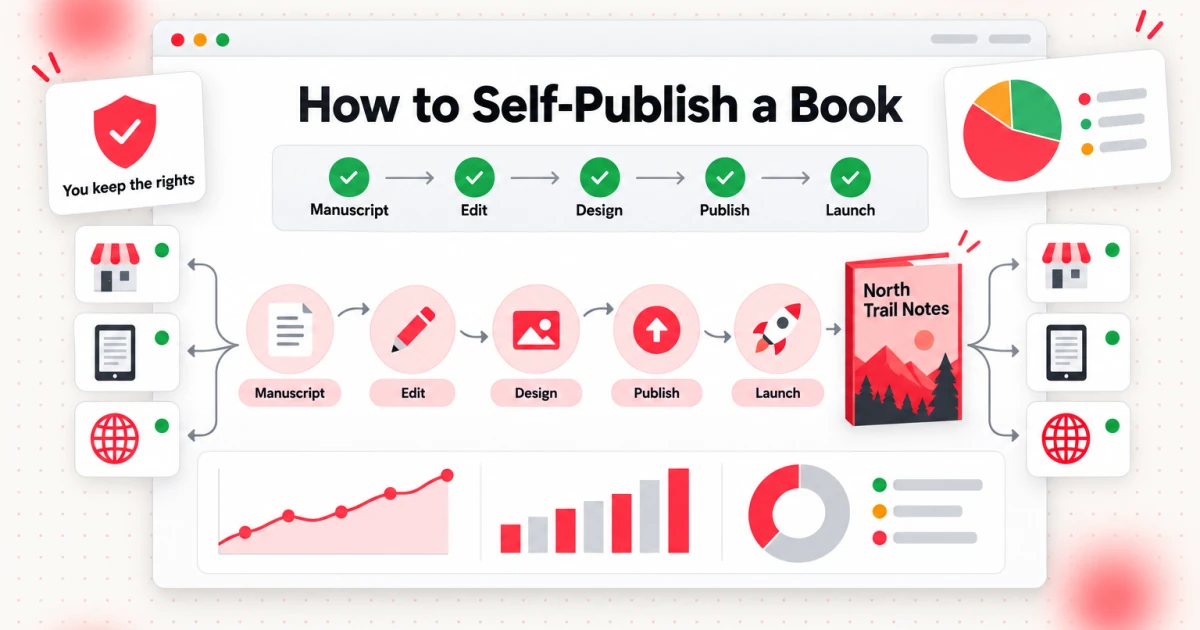
To self-publish a book, you finish and edit the manuscript, format it for print and ebook, design a cover, set up a listing on one or more retail platforms, price it, and launch it yourself. Self-publishing means the author takes on editing, design, distribution and promotion, and in return keeps the copyright and decides the price. This guide shows how to self-publish a book in nine steps, how self-publishing compares with traditional publishing, and how the main platforms differ, so you can decide where to publish before you upload anything.
It is written for first-time authors who have a manuscript, or a nearly finished one, and want a clear order of work: what to produce at each step, what you can do yourself, what is worth paying someone for, and which decisions are hard to undo later, such as an ISBN or an exclusive ebook agreement.
Fees, royalty rules and policies on these platforms change often. Every platform fact in this article was checked against the platform's own pages, linked next to the fact, and is accurate as of October 2026. Check the linked page again before you commit money or exclusivity.
What Is Self-Publishing?
Self-publishing is publishing a book without a traditional publisher: you, the author, decide what is published, when, at what price and where. You pay for the work a publisher would normally do, or do it yourself, and you earn a share of each sale directly from the retailer or printer. Amazon KDP states it plainly: it lets you self-publish ebooks, paperbacks and hardcovers for free, and publishing there gives you full rights to your book.
Copyright does not protect facts, ideas, systems, or methods of operation, although it may protect the way these things are expressed.
— U.S. Copyright Office, Copyright FAQ: What does copyright protect?
Three models get confused, and the difference matters:
- Self-publishing: you keep the rights, you upload your own files to retail and distribution platforms, and the platforms earn from a share of each sale or from printing costs.
- Traditional publishing: a publisher licenses defined rights from you, pays for production and distribution, and pays you royalties, usually against an advance.
- Vanity press, or paid "publishing packages": a company charges you a large upfront fee to produce and "publish" your book. You carry the financial risk, and the company earns its money from you rather than from readers.
A vanity press is not the same as hiring freelancers. If you hire an editor and a cover designer yourself and upload the files yourself, you are still self-publishing. The warning signs are different: a package price you must pay before anything happens, a publisher name or ISBN you cannot take with you, pressure to buy a stock of your own copies, and vague answers about which stores will actually list the book.
Ask three questions of any company that offers to publish your book. Who owns the rights if I leave? Whose name is on the ISBN, and can I move my files elsewhere? Is the company paid by reader purchases or by my package fee? If the answers are "I keep the rights," "mine," and "reader purchases," you are looking at a platform. If you cannot get a straight answer, keep your money.
Self-Publishing vs Traditional Publishing
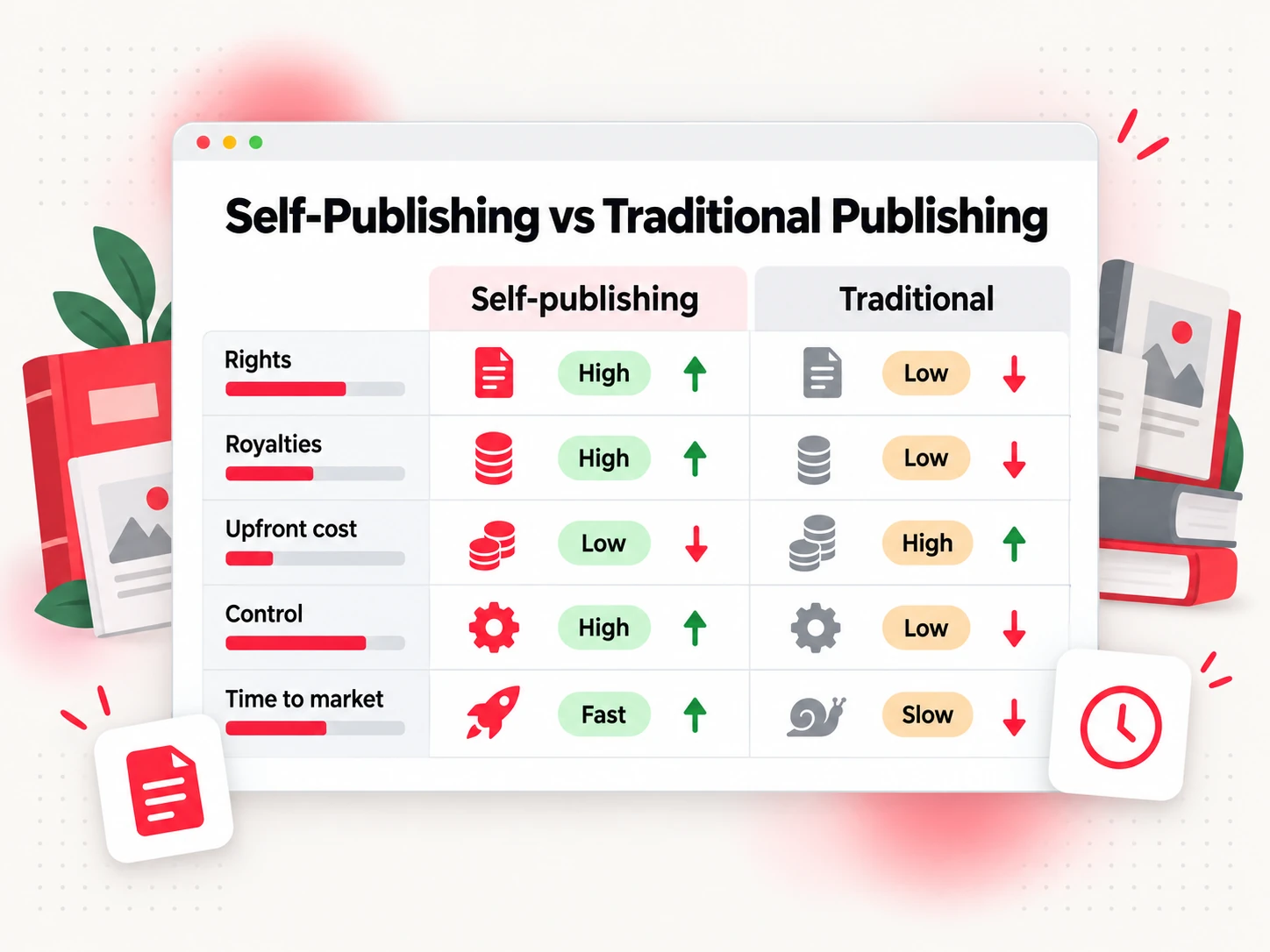
Self-publishing vs traditional publishing is a trade between control and support. Self-publishing gives you the rights, the schedule and a much larger share of each sale, but you fund the work and run the marketing. Traditional publishing gives you an advance, an editorial team and a route into bookstores, but you give up control and wait for a publisher to say yes.
| Self-publishing | Traditional publishing | |
|---|---|---|
| Rights | You keep all rights and license files to platforms | You license defined rights to the publisher by contract |
| Royalties | A platform's rate, such as 35% or 70% on KDP ebooks | A small share of list price or net receipts, often earned against an advance |
| Upfront cost | You pay for editing, cover and any ISBN | The publisher pays production costs |
| Control | You choose title, cover, price, categories and release date | The publisher has final say on most decisions |
| Time to market | Days after your files are ready | Set by the publisher's calendar |
| Physical bookstores | Possible through print distribution, but shelf space is not guaranteed | Easier, because the publisher sells into stores |
| Marketing | You are responsible | The publisher helps, and authors still do much of the work |
The royalty row is where the gap shows. For KDP ebooks, the rate is 35% or 70% depending on price and territory. For paperbacks sold through Amazon, it is 50% or 60% of list price minus printing costs. The Authors Guild's model trade book contract describes typical traditional terms as 10% of list price on the first 5,000 hardcovers (rising to 12.5% and then 15%), 7.5% on trade paperbacks, and 25% of the publisher's net receipts on ebooks. Those are model terms from a writers' advocacy group, and real contracts vary, so read the agreement you are offered.
A bigger percentage does not mean more money. A traditional publisher can put a book in front of buyers that a first-time self-publisher cannot reach, and it pays the production bills. A self-published author with a small audience and a strong niche can earn more per sale and still sell fewer books overall.
Self-publishing tends to fit:
- Niche nonfiction, how-to guides, workbooks and lead magnets where you already know the reader.
- Fiction series, where readers move from book to book and quick releases help.
- Authors who want control over the cover, price and release date, or who already have an audience.
Traditional publishing tends to fit:
- Literary fiction, narrative nonfiction and children's picture books, where bookstore and library presence is the main route to readers.
- Authors who want an advance and a publisher's marketing team, and who are willing to query agents and wait.
You are not locked into one path. Many authors self-publish some books and sell others to publishers.
How to Self-Publish a Book in Nine Steps
Here is the whole route at a glance. Each step gets its own section below.
- Finish the manuscript. A complete, revised draft, not an outline.
- Get it edited. At least a copyedit and a proofread.
- Format the interior. An EPUB for ebooks and a print-ready PDF for paperbacks.
- Design the cover. A front cover for ebooks, a full wrap with spine for print.
- Sort out the ISBN and publisher name. Free platform ISBN or your own.
- Write the metadata. Title, subtitle, description, keywords and categories.
- Choose your platforms. One storefront, or several.
- Set your prices. Ebook and print, per market.
- Publish and launch. Order a proof, press publish, then tell readers.
Steps 1 to 4 produce the files. Steps 5 and 6 produce the listing. Steps 7 to 9 put the book on sale. Most delays come from skipping an early step, such as uploading before the manuscript has been edited, and then having to redo the later ones.
Self-Publishing a Book, Step by Step
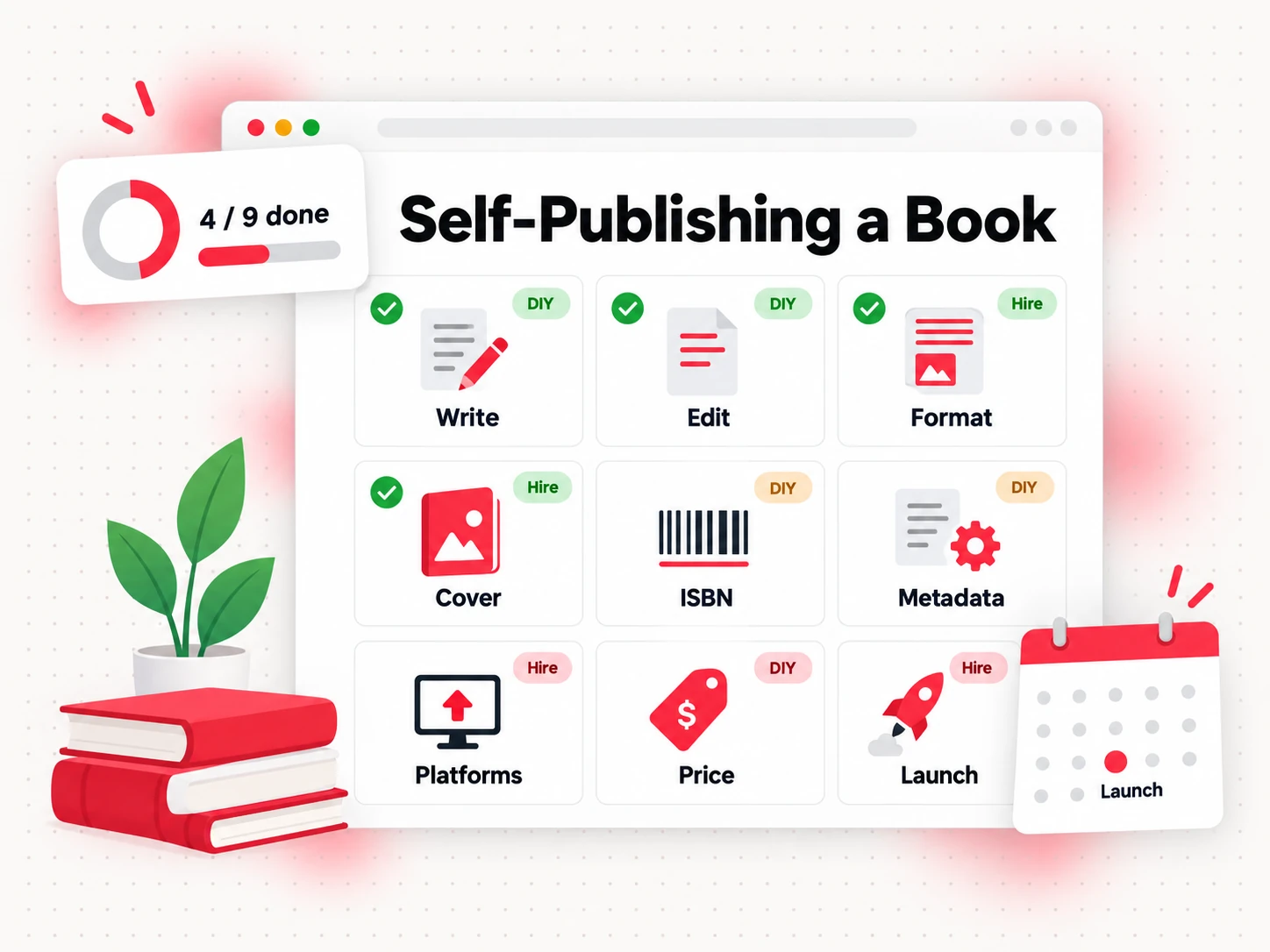
Self-publishing a book is easier to manage as a task board than as one giant project. For each step below you get what to produce, whether to do it yourself or hire, and the mistake to avoid.
1. Finish the manuscript
Produce a complete draft that you have revised at least once. This step is almost always your own work, because only you know the book you want to write. Our guide on how to write a book covers the writing process. If you are unsure how long the book should be, the Word Counter shows your word count, and how many words are in a novel gives typical lengths by genre. The common mistake is calling a first draft finished. Put it away for a week and revise it before anyone else sees it.
2. Get it edited
Produce a manuscript that a stranger can read without tripping. You can do a self-edit pass and use grammar tools, but hire a human editor if the budget allows. A developmental edit fixes structure, a copyedit fixes sentences and consistency, and a proofread catches the last typos after formatting. The common mistake is paying for a proofread when the structure still needs work.
3. Format the interior
Produce two files: a reflowable EPUB for ebooks and a print PDF at your chosen trim size, with margins, page numbers and the right gutter. You can do this yourself with tools such as Kindle Create, Atticus or Vellum, or with a Word template, and hire a formatter if the layout is complex. The print-ready PDF page explains what a print file contains. The common mistake is exporting a Word document straight to PDF and assuming it is print-ready.
4. Design the cover
Produce a front cover for ebooks and a full wrap, with back cover, spine and bleed, for print. A designer is worth hiring if you can afford one, because the cover is the first thing readers judge. If you design it yourself in a tool such as Canva, follow the platform's template exactly. Print covers depend on your final page count and paper type, so make the cover after the interior is locked. For ebooks, KDP's cover guidance gives an ideal size of 2,560 pixels high by 1,600 pixels wide. Whatever tool you use, download the platform's own template and check it against your final page count. The common mistake is a cover that looks fine large but cannot be read as a thumbnail.
5. Sort out the ISBN and publisher name
An ISBN identifies one edition of your book, and each format needs its own. Ebooks sold through KDP do not need one. For paperback and hardcover, KDP offers a free ISBN, but it can only be used on KDP, and the publisher name shows as "Independently published." If you buy your own, you choose the imprint. In the US, Bowker lists $125 for one ISBN and $295 for ten. Countries and agencies differ, so check yours. The common mistake is taking a free ISBN and later discovering that you cannot reuse it on another platform.
6. Write the metadata
Metadata is the information that decides whether a book is found: title, subtitle, description, keywords and categories. Do it yourself, and treat the description as sales copy. On KDP you can enter up to seven keywords and choose three categories. Choose them by looking at what readers of similar books actually search for. The common mistake is stuffing keywords into the title instead of writing a description that makes the reader want the book.
7. Choose your platforms
Decide where the book will be sold: one store or several, ebook only or ebook plus print. The next sections compare the platforms. If you plan to start on Amazon, our step-by-step guide to publishing a book on Amazon covers the dashboard, and what Amazon KDP is explains the program itself. The common mistake is choosing a platform because a friend did, without checking whether it reaches the readers you want.
8. Set your prices
Set a price for each format and market. For KDP ebooks, the 70% royalty option applies to list prices from $2.99 to $12.99 on amazon.com, and the price must be at least 20% below the lowest physical edition, according to KDP's pricing page. Print prices must cover printing costs first. Work out the royalty for each price before you fix it. The common mistake is pricing a paperback without checking what is left after printing.
9. Publish and launch
Order a printed proof, read it on paper, fix what you find, then publish. Review times vary, and KDP says a title is usually live within three business days. Plan the launch before you press the button: tell your email list, ask honest early readers to review, and prepare a short description for social posts. Do not pay for reviews. The common mistake is treating publication day as the finish line rather than the start of selling.
Self-Publishing Companies and Platforms Compared
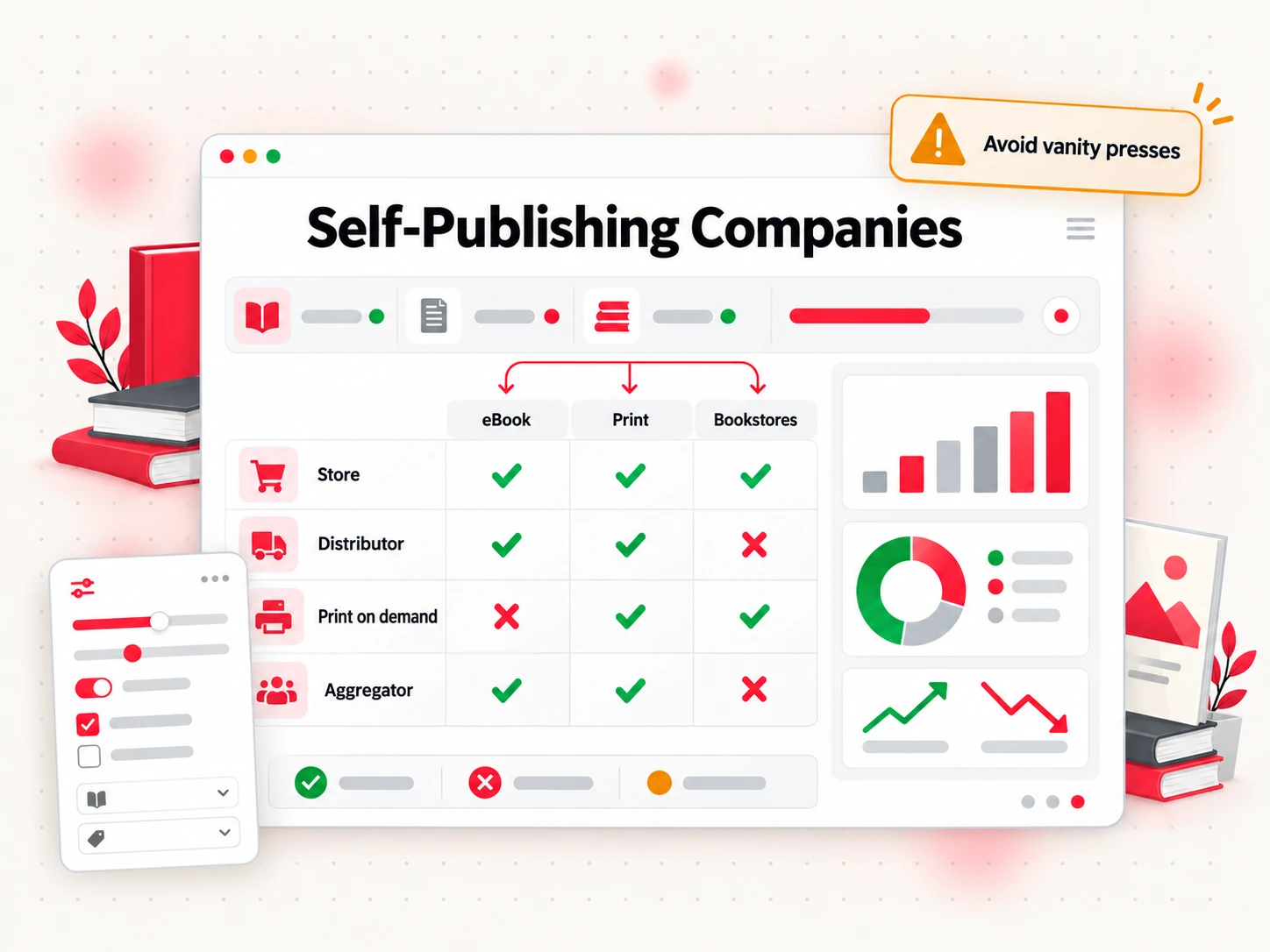
There is no single best among self-publishing companies, because they do different jobs. Some are stores, some are distributors, and some are print-on-demand printers. Most authors use two or three of these self-publishing platforms together. Descriptions below come from each platform's own pages, linked in the first column, as of October 2026.
| Platform | What it does | When to use it |
|---|---|---|
| Amazon KDP | Self-publishes ebooks, paperbacks and hardcovers, free to publish | Your main store for most genres, and the default starting point |
| IngramSpark | Print-on-demand and ebook distribution into a global network of retailers, libraries, universities and educators | You want bookstores and libraries to be able to order your print book |
| Draft2Digital | Distributes ebooks to many stores at once, and offers black-and-white paperbacks | You want wide ebook coverage from one dashboard |
| Lulu | Print-on-demand in many sizes and bindings, with retail distribution and direct sales | Unusual formats, or selling from your own website |
| Barnes & Noble Press | Barnes & Noble's own self-publishing platform for books and ebooks | You want a direct presence in the Barnes & Noble store |
| Apple Books | Sells ebooks and audiobooks through Apple's store | Your readers use iPhones and iPads |
| Kobo Writing Life | Kobo's self-publishing portal for its ebook store | Readers in Kobo's markets, or going wide direct |
| Google Play Books | Partner Center for selling ebooks and audiobooks on Google Play | Adding another ebook storefront |
A few specifics are worth knowing. Draft2Digital's FAQ says it earns about 10% of the retail price of every sale, lists stores including Apple Books, Barnes & Noble, Kobo, Bookshop.org and OverDrive, and since 2026 charges a one-time $20 activation fee for new accounts, plus a $12 annual fee on accounts earning less than $100 a year in sales. Apple says it pays 70% on every ebook, regardless of price. Lulu says it can list your books with over 40,000 book retailers.
Platforms differ in more than fees. Some require an ISBN you own for distribution, some give you a free ISBN that is locked to that platform, and some charge a share of each sale to a distribution network. Read the terms before you pick, especially if you plan to use more than one.
If your book may sell in other languages, treat each translation as its own book. Search terms differ by language and store, prices should be set in each market's currency, and a keyword translated word for word rarely matches what readers type.
A note on "publishing companies." Some of the "self-publishing companies" that show up in search are service businesses selling editing, design and "publishing packages." That can be fine if the contract is clear that you own the rights and the ISBN, but it is a different product from the platforms above. See the earlier test: rights, ISBN, and who gets paid by whom.
IngramSpark vs KDP
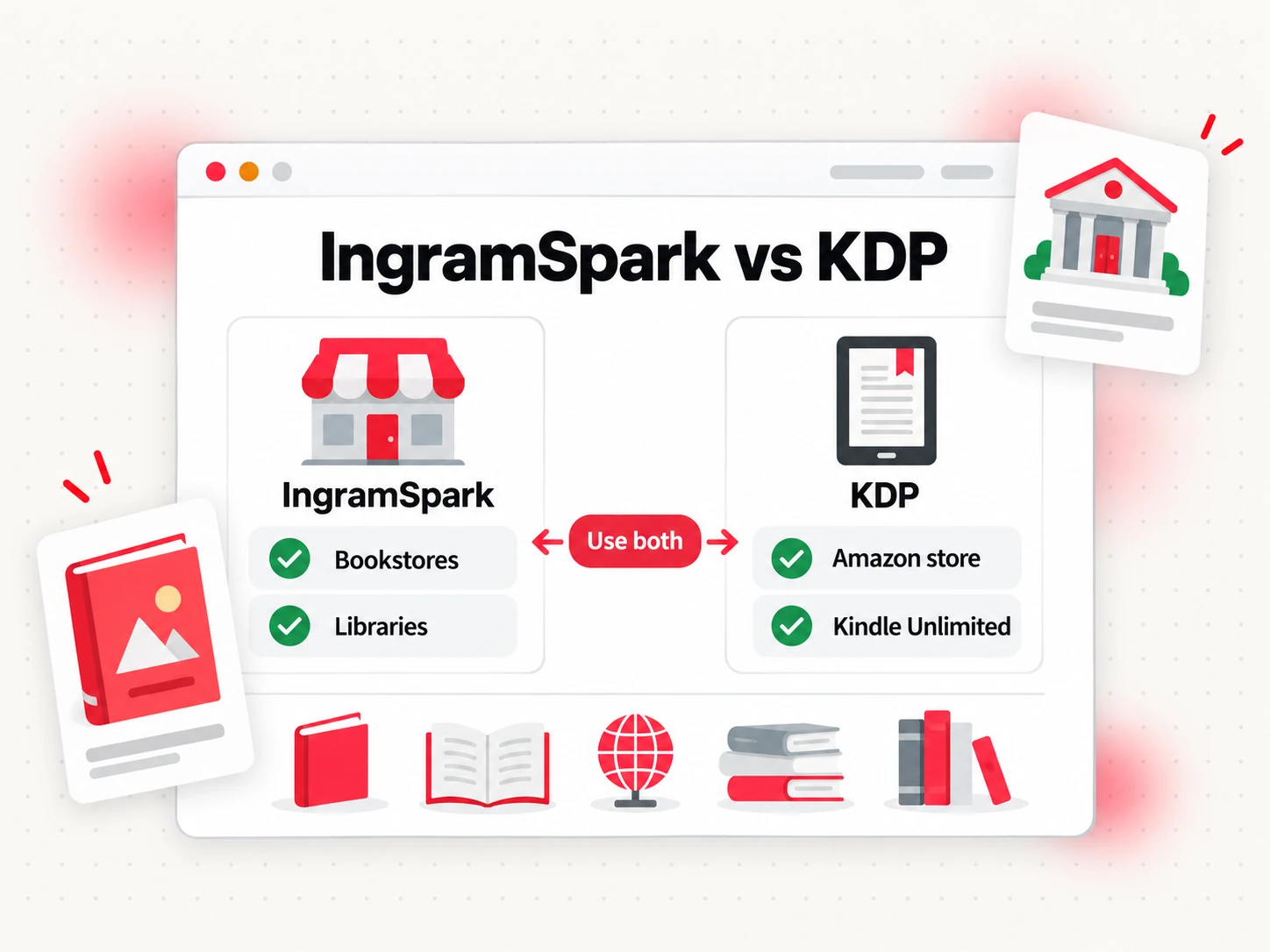
IngramSpark vs KDP is mostly a question of print reach. KDP is the easier way to sell on Amazon and the cheapest place to start. IngramSpark is built around wholesale distribution, so bookstores and libraries that buy from Ingram can order your book. Many authors use both for print.
Reach. IngramSpark's rate card describes access to a global distribution network of over 45,000 retailers, libraries, universities and educators. KDP's Expanded Distribution makes paperbacks available to distributors so booksellers and libraries can order them, but it does not cover hardcovers, does not guarantee any store will stock the book, and can take up to eight weeks to start.
Fees. Per the same rate card, effective February 1, 2026, IngramSpark title setup is free, and a global distribution fee of 1.875% of the local list price applies at the time of sale. IngramSpark's director also announced free revisions in December 2025. KDP expanded distribution pays 40% of list price minus printing costs.
Returns and discounts. IngramSpark's FAQ says you choose whether your books are returnable. Bookstores often expect a standard trade discount and returnable terms, and the exact numbers you can set are in your IngramSpark title setup. Treat returns as a real cost: a returnable book can come back after the sale.
ISBN. IngramSpark asks for an ISBN for each format if you want distribution. It offers free ISBNs to US publishers, but they work only on IngramSpark, show the imprint as "Indy Pub" and require the title to be in wholesale distribution. A KDP free ISBN cannot be used outside KDP. So if you want both, buy your own ISBN and use it on each, one per format.
Using both. A common setup is KDP for Amazon sales, IngramSpark for everyone else. IngramSpark's FAQ notes that when you use KDP print at the same time, you should not select KDP's Expanded Distribution, so the two do not compete to supply the same stores.
Going Exclusive or Going Wide
Going exclusive means selling your ebook only on Amazon in exchange for KDP Select benefits. Going wide means selling on several stores. Which is better depends on whether you earn more from Kindle Unlimited reads or from sales across stores, and the only way to know is to test.
The rule is narrow. KDP Select runs in 90-day periods and applies only to Kindle ebooks. During enrollment, the ebook must be sold only in the Kindle Store, though paperbacks and other formats can be sold anywhere. Enrollment renews automatically unless you turn it off. In return, readers can borrow the book through Kindle Unlimited, and KDP pays from a monthly fund based on pages read. KDP's help page also says that enrolling your ebook is the only case in which it cannot be sold on other platforms.
Exclusivity tends to suit authors with a series, a strong Kindle audience and short books that readers finish quickly. Wide tends to suit authors whose readers use other devices, who want to spread risk across stores, or who do not want to depend on one company's rules. You can switch: stay exclusive for one 90-day period, then go wide, or the reverse. Our guide to where to sell ebooks lists the other stores.
Where Bookeen Fits in Self-Publishing
Bookeen AI online book creator helps with one part of this route: getting from an idea to a complete manuscript and the files you need to upload. It is not a publisher, it does not upload your book to any store for you, and it does not charge publishing fees. You choose the platform, set up the account, buy the ISBN if you want one, and decide the price.
What it does give you, in steps 1 to 4:
- The manuscript. Choose a book type, such as a how-to guide, research report, workbook, course companion or novel, and Bookeen writes a complete draft that you then edit and make your own.
- Ebook and print files. Export EPUB, DOCX, a PDF for reading, and a 6×9 inch print interior PDF. The EPUB is EPUB 3 and passes epubcheck with no errors.
- Covers. Export an ebook cover at 1600×2560 pixels and a print cover that joins back cover, spine and front cover, with 1/8 inch bleed.
The default print settings do not mean a platform has approved your files. Upload them, read the platform's preview or proof, and fix anything it flags. If you write for print, the print-ready PDF page explains what the file contains. For a closer look at the process from idea to finished manuscript, start at the online book creator.
How to Self-Publish a Book FAQs
What does it mean to self-publish a book?
To self-publish a book means to publish it yourself, without a traditional publisher: you handle or pay for the editing, design and uploading, you keep the rights, and you set the price. Retail and print platforms sell the book and pay you a share of each sale. It is not a vanity press, where you pay a company a package fee and depend on it to sell the book.
Is self-publishing worth it?
It is worth it if you value control and a larger share of each sale, and you are willing to fund editing and covers and to market the book yourself. It is less suited if you want an advance, a publisher's marketing team or easy bookstore shelf space. Results vary widely, so test with one book before building a plan around it.
Can I self-publish a book for free?
You can publish for free, but a good book is rarely free to make. KDP lets you publish ebooks, paperbacks and hardcovers for free, and IngramSpark's rate card lists title setup as free. Editing, cover design and ISBNs are where costs appear.
Do I need my own ISBN to self-publish?
Not always. KDP does not require an ISBN for ebooks and gives a free one for paperbacks and hardcovers, though that one works only on KDP. If you want to use the same ISBN across platforms, or have your own imprint name listed as publisher, buy your own from your country's ISBN agency, such as Bowker in the US.
Which self-publishing platform is best for beginners?
KDP is the usual starting point: it is free to use, covers ebooks, paperbacks and hardcovers, and puts you in front of Amazon's readers. Add Draft2Digital or IngramSpark later if you want wider ebook or print reach. Start with one platform and one book, learn the process, then expand.
Can a self-published book get into bookstores and libraries?
Yes, it can be listed for them to order, but being listed does not mean being stocked. Print distribution through IngramSpark or KDP Expanded Distribution makes your paperback available to booksellers and libraries, and each one decides whether to order. Local bookstores often respond better to a direct pitch, a returnable setup and a professional cover.
Can I self-publish on more than one platform at the same time?
Yes. Your rights stay with you, so you can sell the same book on several platforms, with one exception: while an ebook is enrolled in KDP Select, it must be sold only in the Kindle Store. If you use your own ISBN, you can keep it consistent across platforms. If you use a free platform ISBN, it works only on that platform.
Ready to Write Your Book?
Self-publishing starts with a finished manuscript, and that is the part Bookeen can speed up. Create your account and start your first book, then take the files to the platform you chose.