

Amazon KDP: The Complete Beginner's Guide (2026)
What Amazon KDP is, how Kindle Direct Publishing works, what it costs and pays, and how to set up your account and get your first book ready.
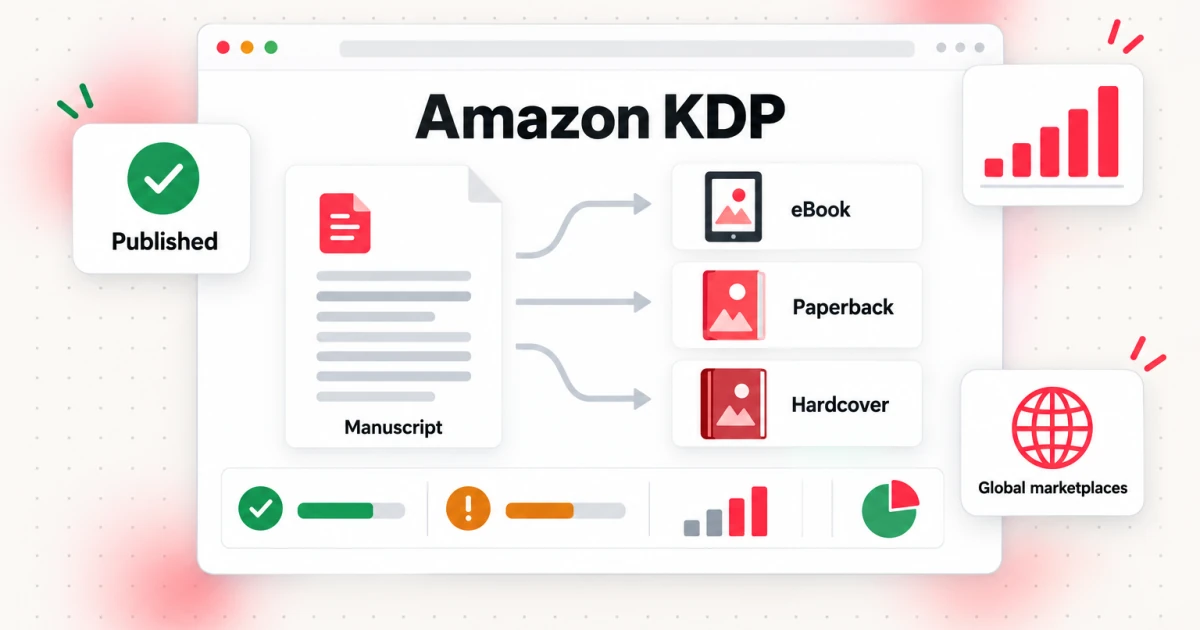
Amazon KDP (Kindle Direct Publishing) is Amazon's free self-publishing service. You upload a book, set a price, and Amazon sells it to readers as a Kindle ebook, a paperback, or a hardcover, while you keep ownership of your work. This guide is for first-time authors who want the whole picture before they open an account.
You will learn what Kindle Direct Publishing is and how a book travels from upload to live listing, which formats KDP supports, how to set up your Amazon KDP account (including the tax and payment steps that trip people up), how the Bookshelf works, what the service costs and pays, what KDP Select is, and which files you need to prepare. We finish with an honest look at whether Amazon KDP is worth it for your kind of book.
Every KDP rule below was checked against Amazon's own help pages in October 2026, and the source link sits next to each number. KDP changes its rules from time to time, so treat those pages as the final word. If you want the click-by-click version of the process, read our step-by-step guide to publishing a book on Amazon.
What Is Amazon KDP?
Amazon KDP is the self-publishing platform run by Amazon, and Kindle Direct Publishing is the name behind the initials. It lets an author publish a book without a publisher, an agent, or an upfront fee. KDP's home page describes it as free and simple tools to self-publish, and says you retain ownership of your content and set your own list prices.
KDP publishes three formats: Kindle ebooks, paperbacks, and hardcovers (KDP help: publishing formats). Each format is a separate listing that you create in your account and then link together, so a reader sees one book page with a format choice. You do not have to publish all three.
Print books are produced on demand. Nothing is printed until a customer orders a copy; then Amazon prints it, ships it, and collects the payment. You never store inventory, and you never pay for a print run. The printing cost for each copy is subtracted from your royalty at the time of sale, which is the main way print books are "paid for" under KDP.
KDP sells to readers through Amazon's regional stores. An ebook with worldwide rights can be sold in 13 Amazon stores: Amazon.com, .co.uk, .de, .fr, .es, .it, .co.jp, .com.br, .com.mx, .com.au, .ca, .nl, and .in (KDP help: eBook distribution rights). Print is narrower. Paperbacks are available in 14 stores and hardcovers in 12, and Amazon.com.br, Amazon.in, and Amazon.com.mx do not support paperback or hardcover distribution (KDP help: print distribution rights).
The difference from traditional publishing comes down to control and responsibility. With KDP you decide the title, the cover, the price, and when to update the book. You also carry the jobs a publisher would normally handle: editing, cover design, formatting, and marketing. KDP gives you the shelf and the checkout, not an audience.
How Kindle Direct Publishing Works
Kindle Direct Publishing works as a pipeline with five author-side steps and one Amazon-side step. You prepare a manuscript, prepare a cover, enter the book's details, choose rights and pricing, and submit. Amazon then reviews the book and, if it passes, lists it.
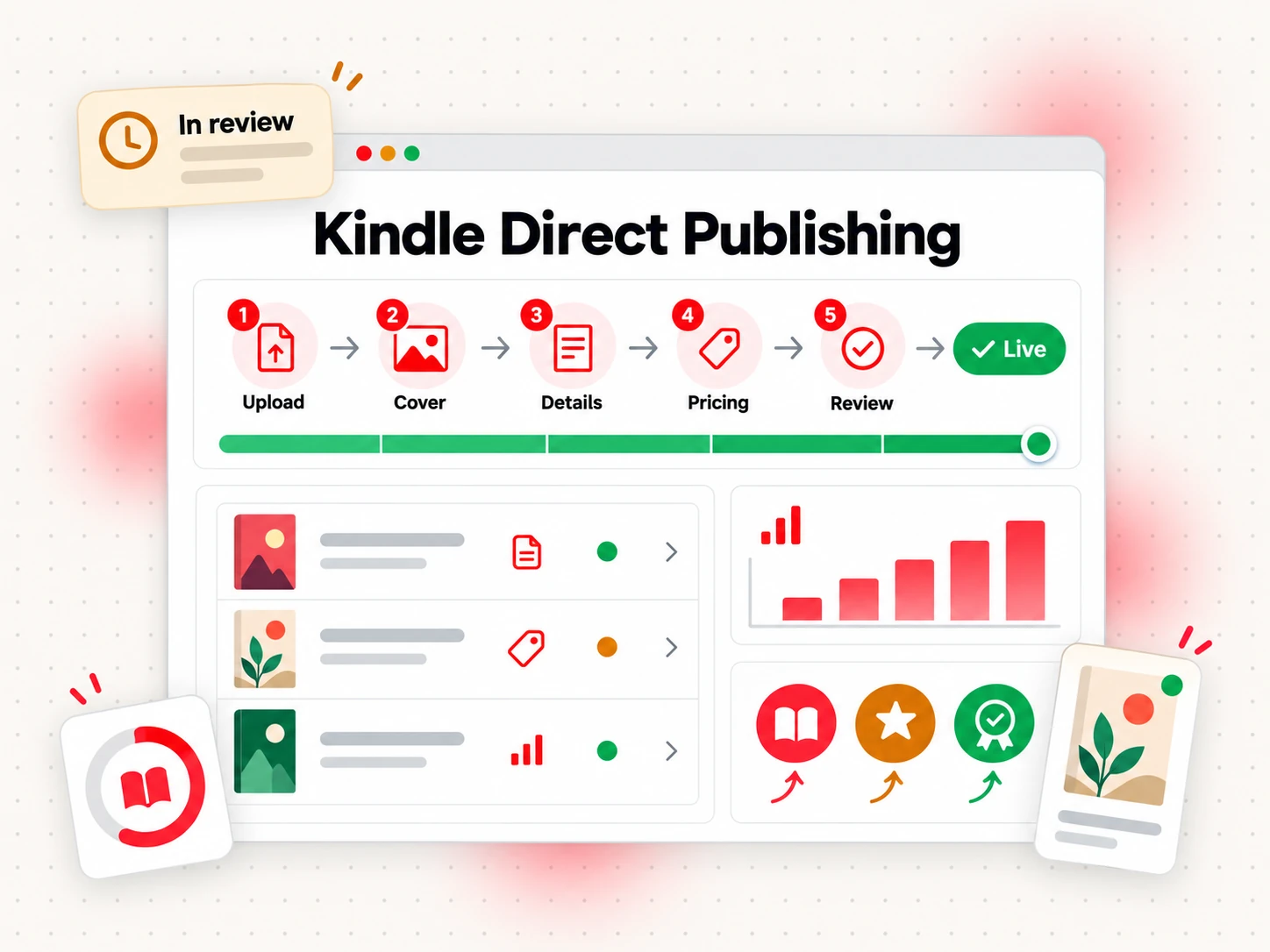
Here is how that Kindle Direct Publishing flow looks in practice:
- Upload the manuscript. For an ebook this is a DOCX, a KPF file from Kindle Create, or an EPUB. For print it is the interior file sized for your chosen trim.
- Upload the cover. Ebooks need a cover image. Print books need a cover that matches the trim size, page count, and paper type.
- Enter the book details. Title, author name, description, language, up to seven keywords, and up to three categories (keyword boxes; categories, checked October 2026). Our KDP keywords guide covers how to fill those boxes. You also say whether the book contains AI-generated content, which KDP asks you to disclose.
- Set territories and price. You confirm the territories where you hold rights, pick a royalty option for ebooks, and set a list price for each format and store.
- Submit for review. KDP checks the book against its content and quality guidelines before it goes on sale.
- Go live. The book appears on the Amazon stores you selected, and sales show up in your reports.
Review timing is the part beginners ask about most. KDP says a submitted book or update will be live within 3 business days, and low-content books such as journals and notebooks can take up to 10 business days. The book's detail page can show up sooner: up to 72 hours for an ebook, up to 72 hours for a paperback or hardcover on Amazon.com, and up to 5 days on other print stores (KDP help: review and publishing times). Updates to an existing book follow the same review step.
One practical consequence: you can update a live book, so a typo in a Kindle book is a file swap, not a reprint.
What You Can Publish With KDP Publishing
KDP publishing covers three formats, and each has its own rules, file types, and limits.
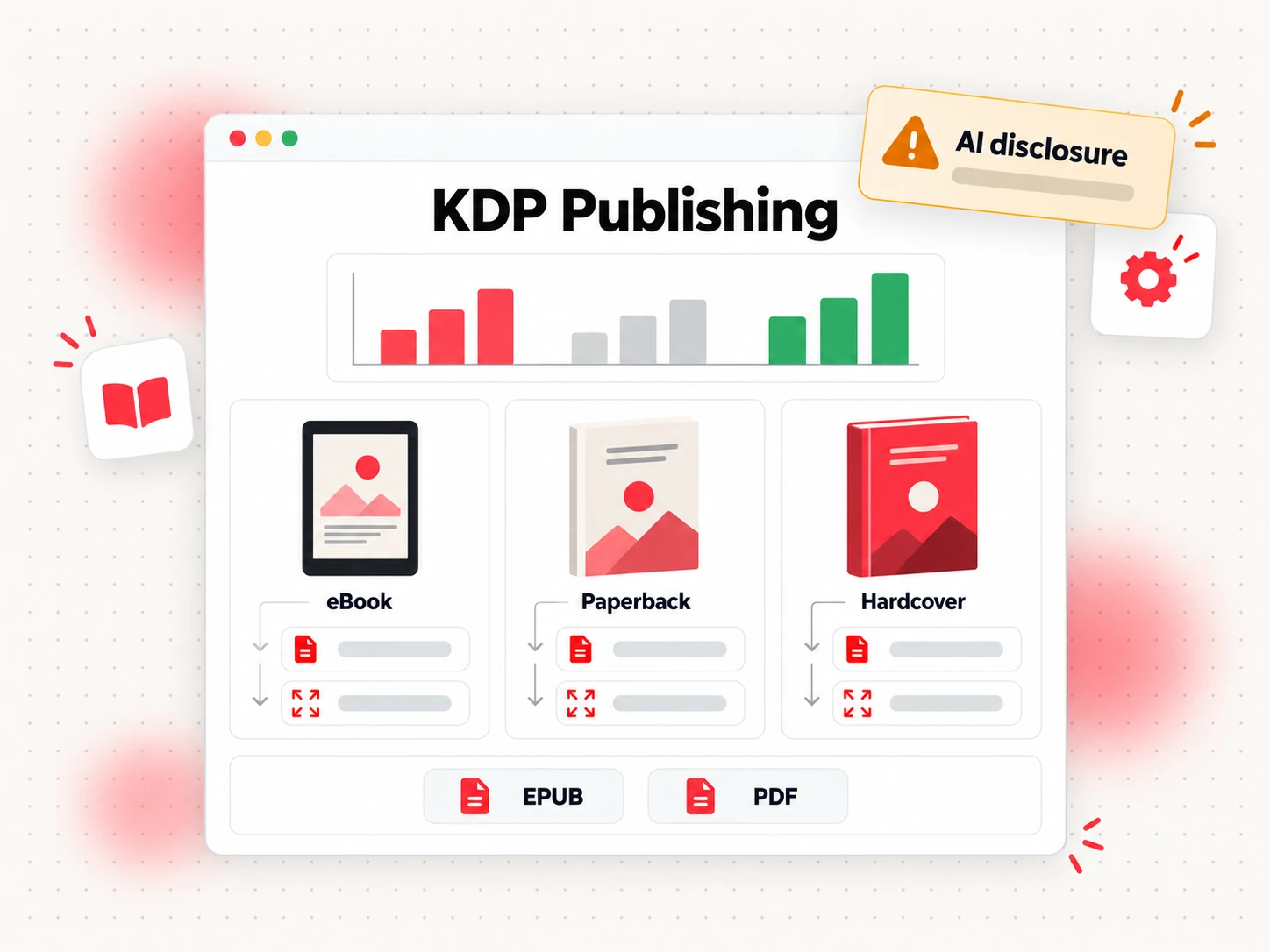
Ebooks are the simplest to produce. KDP recommends three file types for ebook manuscripts: Microsoft Word (DOC or DOCX), Kindle Package Format (KPF) made with Kindle Create, and EPUB. It also accepts HTML, RTF, plain text, and PDF, with language restrictions on PDF (KDP help: ebook file formats). Ebooks do not need an ISBN.
Paperbacks need a print-ready interior and a full-wrap cover. The minimum page count is 24, and the maximum depends on ink, paper, and trim; for a standard 6" x 9" book in black ink, KDP lists 24 to 828 pages (KDP help: paperback submission guidelines).
Hardcovers need the same two files as paperbacks, an interior and a cover, built to hardcover specifications. KDP lists 75 to 550 pages for every hardcover trim size it offers, including 5.5" x 8.5" and 6" x 9" (KDP help: hardcover specifications). Hardcover publishing is not supported on kdp.amazon.co.jp.
KDP's content rules apply to all formats, and that is where AI-generated books attract attention. KDP asks you to tell it about AI-generated content, meaning text, images, or translations created by an AI tool, when you publish a new book or edit and republish an existing one. That holds even if you edit the output heavily afterward. If you wrote the content yourself and used AI only to edit, refine, error-check, or brainstorm, KDP calls that AI-assisted and does not ask for disclosure (KDP help: content guidelines). KDP also limits how many new titles you can create per format each week; our guide to Amazon's AI content policy covers the details.
How to Set Up Your Amazon KDP Account
An Amazon KDP account is free, and setup takes about as long as it takes to find your tax and bank details. Start at kdp.amazon.com. You can sign in with an existing Amazon customer account or create a new one. KDP's own Jumpstart guide lists what you need ready: your name, address, and phone number, your bank details, and, for authors outside the US, a tax identification number (KDP Jumpstart: set up your account, checked October 2026).
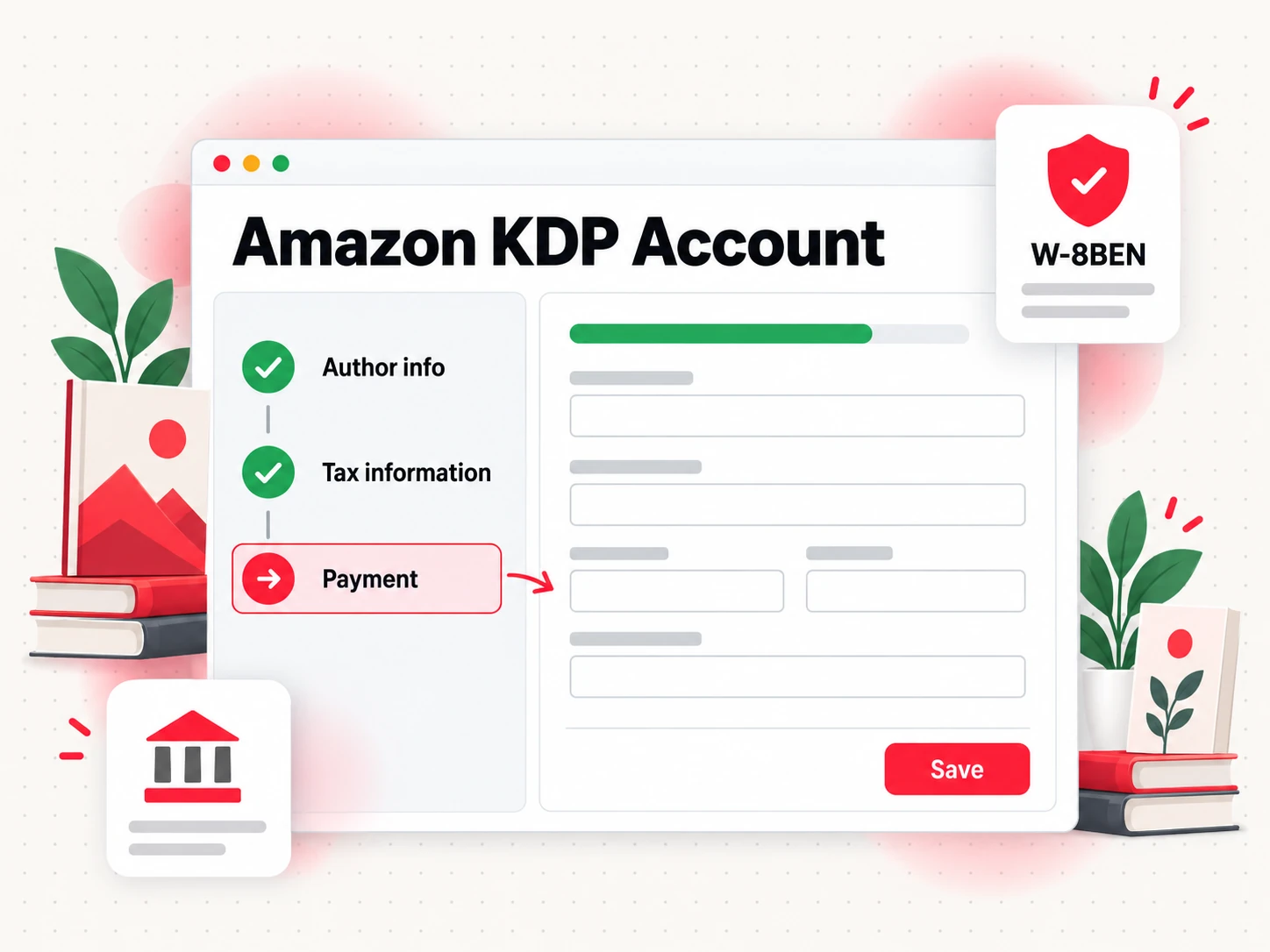
Setting up your Amazon KDP account has three parts, which is why the checklist in the image above has three lines.
Author information. Enter your legal name and address. KDP issues payments and tax forms under the name on the account, so do not put a pen name there. A pen name belongs on the book itself, in the author field of each title.
Tax information. Every account holder has to complete a tax profile before publishing. If you are not a US person, KDP's tax withholding page points you to Form W-8BEN, which is the form for non-US individuals. The default US withholding on royalties is 30% for ebook sales on Amazon.com and for print sales on Amazon.com, Amazon.co.jp, Amazon.com.au, and Amazon.ca. You may qualify for a reduced rate if your country of permanent residence has an income tax treaty with the United States, and treaties differ in what they cover (KDP help: tax withholding, checked October 2026). Fill the interview in carefully, and ask a tax professional about your own situation: KDP's help pages explain the process, not your liability.
Payment. Add a bank account. KDP recommends electronic funds transfer because it pays royalties in your local currency and, according to the Jumpstart guide, without a minimum threshold.
The usual snags are small ones. If your Bookshelf looks empty after you sign in, you have almost certainly signed in with a different email address than your publishing account. If you use your own ISBN, the imprint must match what the ISBN agency has on file exactly, even down to trailing spaces. And if tax withholding keeps your balance under the payment threshold, KDP warns that payment can be delayed.
A Tour of the KDP Bookshelf
The KDP Bookshelf is the page you will live on after the account is set up. KDP's help describes it as the hub for managing your titles: you see every book you have created, track each one's status, and create new titles from here. Reach it by signing in and choosing Your Account at the top of the page (KDP help: Bookshelf, checked October 2026).
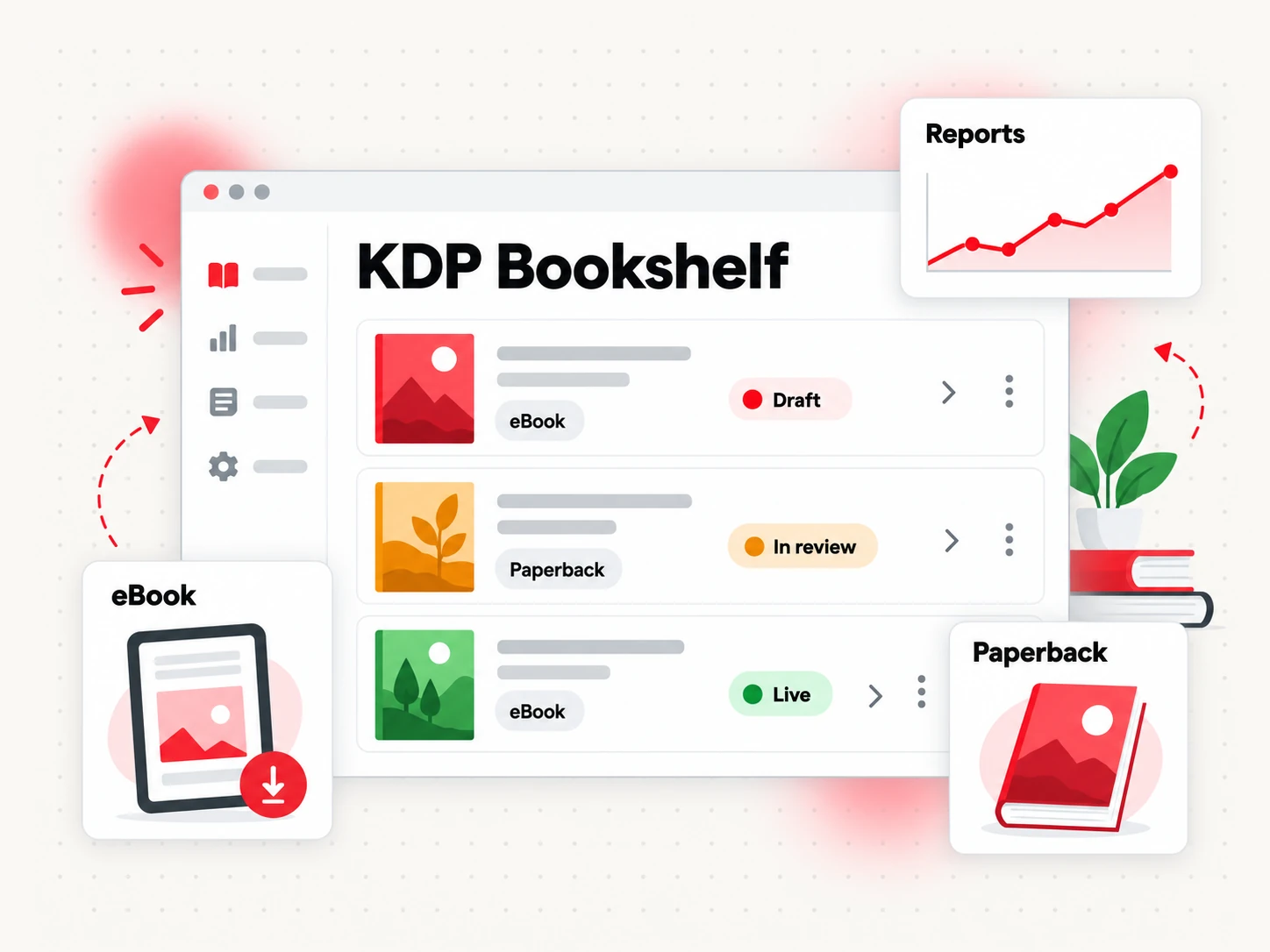
Each row on the KDP Bookshelf is one title in one format, with a status next to it:
- Draft. The book is unpublished work in progress. Nothing is on sale, and you can come back to it later.
- In Review. You submitted it, and KDP is checking the files and details.
- Live. The book is on sale on the stores you chose. Edits you make to a live book go through review again.
- Blocked. The book is temporarily unavailable.
Two other areas sit next to the Bookshelf. Reports holds sales analytics and royalty information, so use it to see what sold and to reconcile what you are paid. Marketing holds KDP's promotional tools, and the posts on selling and marketing your book go deeper on those.
Create one Bookshelf row per format and link them, so a reader who finds your ebook can see the print edition on the same page.
What Amazon KDP Costs and Pays
Publishing on Amazon KDP costs nothing upfront. There is no listing fee and no subscription. Instead, Amazon takes a share of each sale, and for print it also deducts the cost of printing the copy. Everything below follows KDP's help pages.
You can choose between two royalty options for each of your Digital Books, also called eBooks: the 35% royalty option and the 70% royalty option.
Ebook royalties. You choose a 35% or 70% royalty option per book. The 70% option applies when the list price on Amazon.com is between $2.99 and $12.99, and the price must be at least 20% below the list price of any physical edition of the same book. Sales in territories that the 70% option does not cover earn 35%. The 35% option allows prices from $0.99 up to $200.00. Delivery costs are subtracted only under the 70% option: $0.15 per MB on Amazon.com. The formula is royalty rate x (list price – applicable VAT – delivery costs) (royalty options; pricing; delivery costs).
Here is an example with a made-up book, The Lantern Keeper's Almanac, as an ebook priced at $4.99 with a 2 MB file on the 70% option. Delivery costs are 2 x $0.15 = $0.30, so the royalty is 0.70 x ($4.99 – $0.30), which is about $3.28 per sale, ignoring any VAT.
Paperback royalties. Amazon's marketplaces pay 50% when the list price is $9.98 or lower and 60% at $9.99 or higher (on Amazon.com; other stores use their own thresholds). Then printing cost comes off: (royalty rate x list price) – printing cost = royalty. Expanded Distribution, an optional extra sales channel, pays 40% of the list price minus printing cost (KDP help: paperback royalty). Hardcover royalties have their own KDP help page, so check that page before pricing a hardcover.
Printing cost for a black-ink book on Amazon.com is a fixed fee plus a per-page amount. For 110 to 828 pages it is $1.00 plus $0.012 per page at standard trim sizes (KDP help: printing costs). An illustrative 200-page paperback, again with a made-up title, priced at $14.99 would cost $1.00 + (200 x $0.012) = $3.40 to print. Your royalty would be (0.60 x $14.99) – $3.40, about $5.59 per sale.
When you are paid. KDP pays monthly, about 60 days after the end of the month in which the sale was reported, and about 90 days for Expanded Distribution sales (KDP help: when will I get paid?). So a sale in January arrives around the end of March. Minimum payment thresholds can apply, so check that page for your currency and payment method.
Budget separately for what KDP does not provide: editing, cover design, proofreading, and promotion. Our guide to what it costs to publish a book breaks those down, and the KDP royalty calculator guide goes deeper on the math.
KDP Select and Kindle Unlimited in Brief
KDP Select is an optional program for Kindle ebooks. It is where Kindle Unlimited comes from. When you enroll an ebook, you agree to sell that ebook only in the Kindle Store for a 90-day period. Enrollment renews automatically unless you turn it off, and turning it off does not end the current period (KDP help: KDP Select).
The exclusivity covers the ebook only. Paperbacks, hardcovers, and audio or video versions can still be sold elsewhere, and you can offer a limited sample of up to 10% of the ebook on other sites.
The payoff is a second income stream. Kindle Unlimited readers can read enrolled books at no per-book charge, and KDP pays authors from the monthly KDP Select Global Fund. Your share depends on the Kindle Edition Normalized Pages (KENP) that readers read for the first time, as a portion of all KENP read that month. KDP counts at most 3,000 KENP per reader per book (KDP help: KENP).
Select suits some authors and not others. It tends to work when your readers already borrow through Kindle Unlimited and you want to stay exclusive for the extra visibility. It is a poor fit if you want to sell your ebook through other stores. Our KDP royalty calculator guide runs the numbers on both paths.
Getting Your Manuscript Ready for Amazon KDP
KDP does not write, edit, or lay out your book. You bring the files, and the files differ for ebooks and print.
For an ebook you need a manuscript file and a cover image. EPUB, DOCX, or KPF all work, as described above. KDP recommends validating an EPUB with its Kindle Previewer before upload. Kindle Create is Amazon's formatting tool: it handles typesetting for Kindle devices and apps, builds a table of contents, places images, and previews the result (KDP help: Kindle Create). The ebook cover's recommended size is 2,560 pixels high by 1,600 wide, as a JPEG or TIFF in RGB color (October 2026, KDP help: ebook covers).
For a paperback or hardcover you need a print interior and a full cover. The interior needs the right trim size, margins, and bleed. KDP's inside margin grows with page count: 0.375 inches for 24 to 150 pages, 0.5 inches for 151 to 300, and so on up to 0.875 inches for 701 to 828. Outside margins are at least 0.25 inches, or 0.375 with bleed (KDP help: margins, checked October 2026). The cover has to match the page count (our KDP cover template guide covers the dimensions), because spine width equals page count x 0.002252 inches for white paper, and 0.0025 inches for cream.
If that sounds like a lot of files, it is. Bookeen is an online book creator that takes you from an idea to a finished manuscript and then exports the files an author needs for KDP:
- EPUB 3 for Kindle ebooks, checked with epubcheck with zero errors. See EPUB files for Kindle.
- PDF for print, set by default to a 6 x 9 inch interior. See print-ready PDF.
- An ebook cover image at 1600 x 2560 pixels.
- A print cover with back cover, spine, and front cover as one image, with 1/8 inch bleed at 300 DPI, and spine width calculated from page count.
- DOCX and PDF for reading, for editing in Word or sharing a review copy.
Bookeen does not publish for you. You download the files and upload them to KDP yourself, from your own account. The print defaults are a starting point, not a certification: they do not guarantee that KDP will approve a file. After uploading, open KDP's Previewer and check every page, then fix whatever it flags. A new Bookeen account gets 30 credits to generate and preview a book online, and downloading export files needs a paid plan.
If you are still deciding on page length, the word counter shows the word count of your draft, and the book formatting guide covers trim sizes and margins in more depth.
Is Amazon KDP Worth It?
Is Amazon KDP worth it? For most self-publishing authors the answer is yes as a place to start, with caveats, because the risks are small and the reach is large. Here is the balance.
What works in your favor:
- Reach. Your book can be in up to 13 Kindle stores worldwide, on a site readers already use to buy.
- No upfront cost. You pay nothing to list, and print books cost money only when they sell.
- Print on demand. No inventory, no print run, no storage.
- Control. You set the price, keep your rights, and can update the book whenever you like.
- Speed. Review takes days, not months.
What works against you:
- Competition. Anyone can publish on KDP, so a new book competes with a huge catalog. A good cover, a clear description, and the right keywords matter more than the upload.
- You do the marketing. Amazon provides the store, not the audience. Plan how readers will find the book.
- Pricing rules. The 70% ebook option has a price band and a 20% discount rule against physical editions, and print prices have to cover printing cost.
- Rules and review. KDP can reject or block a book, and its content rules, including AI disclosure, can change.
- Platform dependence. Your sales, reviews, and reader data live inside Amazon's system.
Amazon KDP fits authors who want a low-cost way to publish ebooks and print books, are willing to handle editing and promotion, and see a first book as the start of a catalog. It fits poorly if you expect quick sales without marketing, need a traditional publisher's editorial and distribution services, or want to publish dozens of low-effort books fast.
Amazon KDP FAQs
What is Amazon KDP?
Amazon KDP is Kindle Direct Publishing, Amazon's self-publishing service that lets authors publish ebooks, paperbacks, and hardcovers and sell them on Amazon's stores. You upload your files, set your price, and keep ownership of your content. KDP prints paperbacks and hardcovers on demand and pays you royalties for each sale.
Is Amazon KDP free to use?
Yes, publishing on Amazon KDP has no upfront fee (KDP home page). Amazon earns its share through royalties: ebooks pay 35% or 70% depending on the option and price, and paperbacks pay 50% or 60% (40% for Expanded Distribution) after printing cost is deducted. Anything you buy yourself, such as editing, cover design, or your own ISBN, is extra.
Do I need an ISBN to publish on Amazon KDP?
Not for ebooks. eBooks and low-content books are the only formats where an ISBN is optional, and Amazon identifies Kindle books by its own ASIN. For paperbacks and hardcovers, KDP can assign a free ISBN, but that ISBN can only be used on KDP, and the imprint shows as "Independently published." If you buy your own ISBN, the imprint you enter must match what the ISBN agency has on file (KDP help: ISBN and imprint).
How long does KDP take to review and publish a book?
KDP says a book or update goes live within 3 business days, and low-content books can take up to 10 business days. The listing can appear sooner: up to 72 hours for ebooks, and up to 72 hours for print on Amazon.com or up to 5 days on other print stores (KDP help: review times, checked October 2026).
Can authors outside the US publish with Kindle Direct Publishing?
Yes. KDP has a tax profile process for non-US persons, and every non-US author must complete it before publishing. Without a treaty benefit, US withholding on royalties is 30% for ebook sales on Amazon.com and for print sales on Amazon.com, Amazon.co.jp, Amazon.com.au, and Amazon.ca. A tax treaty between the US and your country of residence may reduce that rate (KDP help: tax withholding, October 2026).
Can I publish AI-generated books on Amazon KDP?
Yes, with disclosure. KDP requires you to tell it when a book contains AI-generated text, images, or translations, even if you edited the output afterward. AI used only to edit, refine, or brainstorm on content you wrote yourself counts as AI-assisted and needs no disclosure (KDP help: content guidelines). Read Amazon's AI content policy for the full rules, including the weekly cap on new titles, before you submit.
Can I sell my KDP book on other platforms too?
Yes, as long as the ebook is not enrolled in KDP Select. Select asks for ebook exclusivity in the Kindle Store for each 90-day period, and it does not restrict paperbacks or hardcovers (KDP help: KDP Select). Without Select you can distribute the same ebook through other stores and services, such as Draft2Digital or IngramSpark. A free KDP ISBN cannot be used outside KDP, so buy your own if you plan to publish print elsewhere. Our guide to KDP Select compares the trade-offs.
Start Your Book With Bookeen
If you have an idea but not yet a manuscript, Bookeen can take you from that idea to a finished book you can export as EPUB, print PDF, and covers, ready for you to upload to Amazon KDP yourself. Create your account and start the first draft.