
How to Create an eBook From a YouTube Transcript
Turn your YouTube videos into an ebook: get a YouTube transcript for each video, playlist or channel, group the text into chapters and edit it into a book.
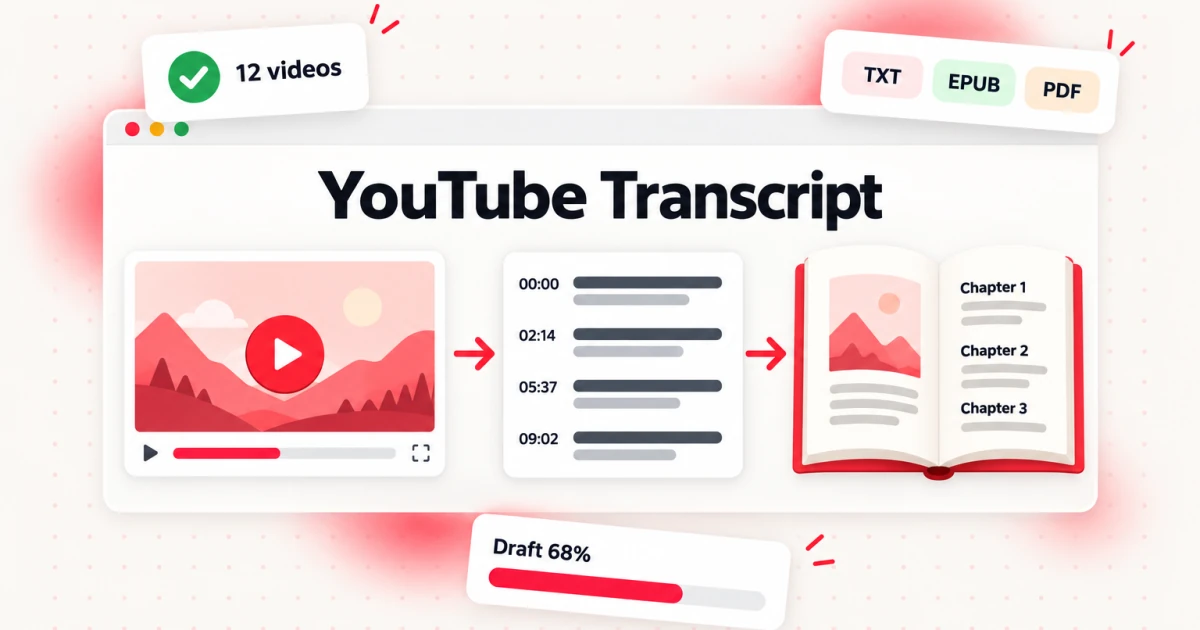
To create an ebook from your YouTube videos, get a YouTube transcript for every video you want to use, group those transcripts into chapters, rewrite the spoken text as written prose, then export and test the finished file. A YouTube transcript is the raw material, not the book: it holds everything you said, in the order you said it, with the pauses, repeats and "as you can see here" moments that only make sense on screen. The work of the book is turning that material into chapters a reader can follow without the screen.
This guide is for creators who already have a library of videos: a course playlist, a long-running tutorial channel, a series of talks or a set of interviews. It covers what a YouTube transcript can and cannot give a book, the permission question you have to answer before you start, how to collect a YouTube playlist transcript or a YouTube channel transcript in one run, and the seven steps from a pile of transcripts to an EPUB or PDF you can share or sell.
What a YouTube Transcript Gives a Book (and What It Doesn't)
A YouTube transcript is the full written text of what is spoken in a video, split into lines with timestamps. It comes from the creator's own caption track when one exists, or from transcription of the audio when there is none. For a book, that text gives you three things that are hard to get any other way.
Your own words, already organized by topic. Most creators explain the same idea better on camera than they ever do on a blank page. A YouTube transcript captures the examples, analogies and phrasings that worked well enough to film.
A map of what your audience already responded to. Your most-watched videos tell you which topics readers will pay attention to. Their transcripts tell you how you explained them.
Volume. A ten-minute talking-head YouTube transcript usually holds somewhere around 1,200 to 1,600 spoken words, depending on how fast you speak. A dozen of them is enough raw text for a short guide; a fifty-lesson course is enough for a full book. Treat these as rough estimates and count your own transcripts with a word counter rather than guessing.
What a YouTube transcript does not give you is equally important:
- Visual context. Every "watch what happens when I click here", every chart on screen and every demonstration is lost in text. You have to describe it, replace it with a figure, or cut it.
- Written structure. Spoken explanations loop back, repeat for emphasis and skip steps that were obvious on screen. A chapter needs a clear order, headings and complete steps.
- Accuracy you can rely on without checking. YouTube says its own automatic captions are generated by machine learning, so their quality varies and they can misrepresent speech because of mispronunciations, accents, dialects or background noise (YouTube Help: Use automatic captioning). Names, numbers and technical terms are where errors hide.
The rule of thumb that runs through the rest of this guide: if you remove the worked examples, checklists and explanations you add in writing, and the chapter still says only what the video said, you have a transcript with headings, not a book.
Can You Turn Any YouTube Video Into an eBook? Permission Comes First
No. You can turn your own YouTube content into an ebook, and content whose owner has given you permission. You cannot take someone else's channel, transcribe it and publish the result as your book, even with credit.
Three facts frame the decision:
- Credit is not permission. YouTube's copyright guidance says that giving credit to the copyright owner does not by itself give you the right to use their content, and phrases such as "I do not own" or "no infringement intended" do not automatically make a use fair (YouTube Help: Fair use on YouTube).
- Most YouTube uploads use the standard license. The standard YouTube license is the default for uploads. A creator can instead mark a video with a Creative Commons Attribution (CC BY) license, which lets others reuse the work as long as they give credit under the license terms (YouTube Help: License types on YouTube). Check the license on each upload rather than assuming.
- Stores check too. Amazon KDP states that it will not accept copyrighted content that is freely available on the web unless it is provided by the copyright owner (Amazon KDP: Content Guidelines). Your public video transcripts count as content freely available on the web, so publishing them as your own book is fine when you are the owner; publishing someone else's is not.
In practice, use one of these sources:
| Source | Can you use it for a book? | What to do |
|---|---|---|
| Your own channel, course or talks | Yes | Confirm you hold the rights to everything in the video, including guest segments |
| A co-host's or guest's words in your videos | Ask | Get written agreement for long quotes or full interview chapters |
| A client or employer's videos | Only with permission | Get the permission in writing before you start |
| Videos marked Creative Commons Attribution | Yes, with credit under CC BY terms | Record title, author, URL and license for each one |
| Someone else's videos under the standard license | No, unless they agree | Quote short passages for commentary at most, and check fair use with a lawyer |
Fair use is a narrow, case-by-case defence decided by courts, not a permission slip. If your plan depends on it, get legal advice before you write, not after you publish.
How to Create an eBook From a YouTube Transcript in Seven Steps
Here is the whole process at a glance. Each step has its own section below.
- Choose the videos and the reader. Decide who the book is for and which uploads serve that reader.
- Get a YouTube transcript for each video. Use one link per upload, or a playlist or channel link for the whole set.
- Download and clean the transcripts. Export plain text, fix names and terms, and strip filler.
- Group the transcripts into chapters. Sort by topic, merge overlaps and cut what does not serve the reader.
- Rewrite spoken text as written chapters. Add structure, complete the steps and replace visual references.
- Build the book in Bookeen. Attach the cleaned transcripts and develop the manuscript chapter by chapter.
- Edit, export and test the ebook. Read it end to end, export EPUB and PDF, and check the files on real screens.
The general process of planning, writing, designing and exporting any ebook is covered in our guide on how to create an ebook. This guide focuses on what changes when your starting material is video.
Step 1: Choose the Videos and the Reader
Start with the reader, not the library. Write one sentence: "This book helps [reader] do [result] without watching [N] hours of YouTube." That sentence decides what goes in.
A few useful filters:
- Promise first. Keep what moves the reader toward the result in your sentence. A great episode on a different topic belongs in a different book.
- Evergreen over news. Videos about a tool update from two years ago age badly in print. Keep the method, drop the dated walkthrough.
- Depth over views. A popular reaction video often has little to transcribe. A quieter forty-minute deep dive may hold a whole chapter.
- One voice. If half your videos are interviews and half are solo lessons, consider two books. Mixing formats makes the editing much harder.
Write down the final list in a spreadsheet with the title, URL, length, topic and a one-line note on what each one teaches. This list becomes your outline in Step 4.
Step 2: Get a YouTube Transcript for Each Video
The fastest way to get text out of a YouTube library is to let a transcript tool do the collecting. transcript.im turns a YouTube link into a timestamped YouTube transcript: it reads the creator's caption track when there is one and transcribes the audio when an upload was never captioned, so missing captions do not stop the job. You can read and search the result in the browser, run a Summary, Chapter Summary or MindMap on it, and download it as TXT, SRT or VTT.
How you collect depends on how your videos are organized.
One video at a time
If your book draws on a handful of videos spread across your channel, paste each link separately and save each YouTube transcript under a clear file name such as 03-soil-basics.txt. Number the files in the order you expect to use them. That small habit saves a lot of confusion later.
A YouTube playlist transcript for a course or series
If your lessons already live in a playlist, a YouTube playlist transcript is the better route. On the YouTube playlist transcript page you paste the playlist link once, and every lesson is queued in the order the playlist runs and processed in parallel. Each part is labelled with its lesson title and keeps its timestamps, and the set downloads together, one labelled file per lesson.
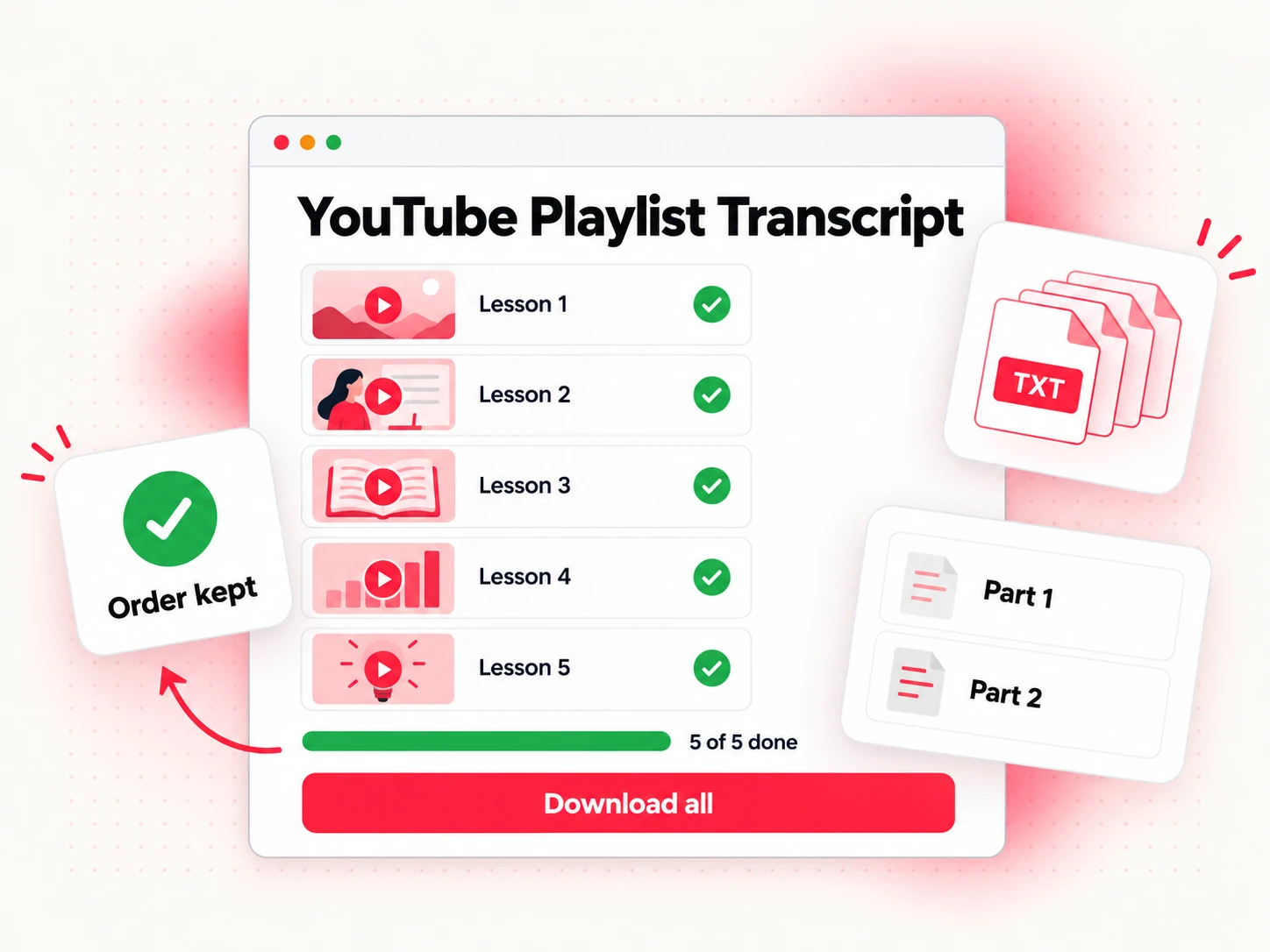
A YouTube playlist transcript is the closest thing to a ready-made book skeleton: a course playlist already has an order a learner follows. If you planned the playlist well, the lesson sequence becomes your first draft of the table of contents. If you did not, reorder the playlist on YouTube before you transcribe it, or reorder the files afterwards.
A YouTube channel transcript for a whole archive
If your material is spread across years of uploads, collect a YouTube channel transcript instead. The YouTube channel transcript tool takes one channel link, queues its public uploads and returns the transcripts as one set, each labelled with its video title and timestamps.
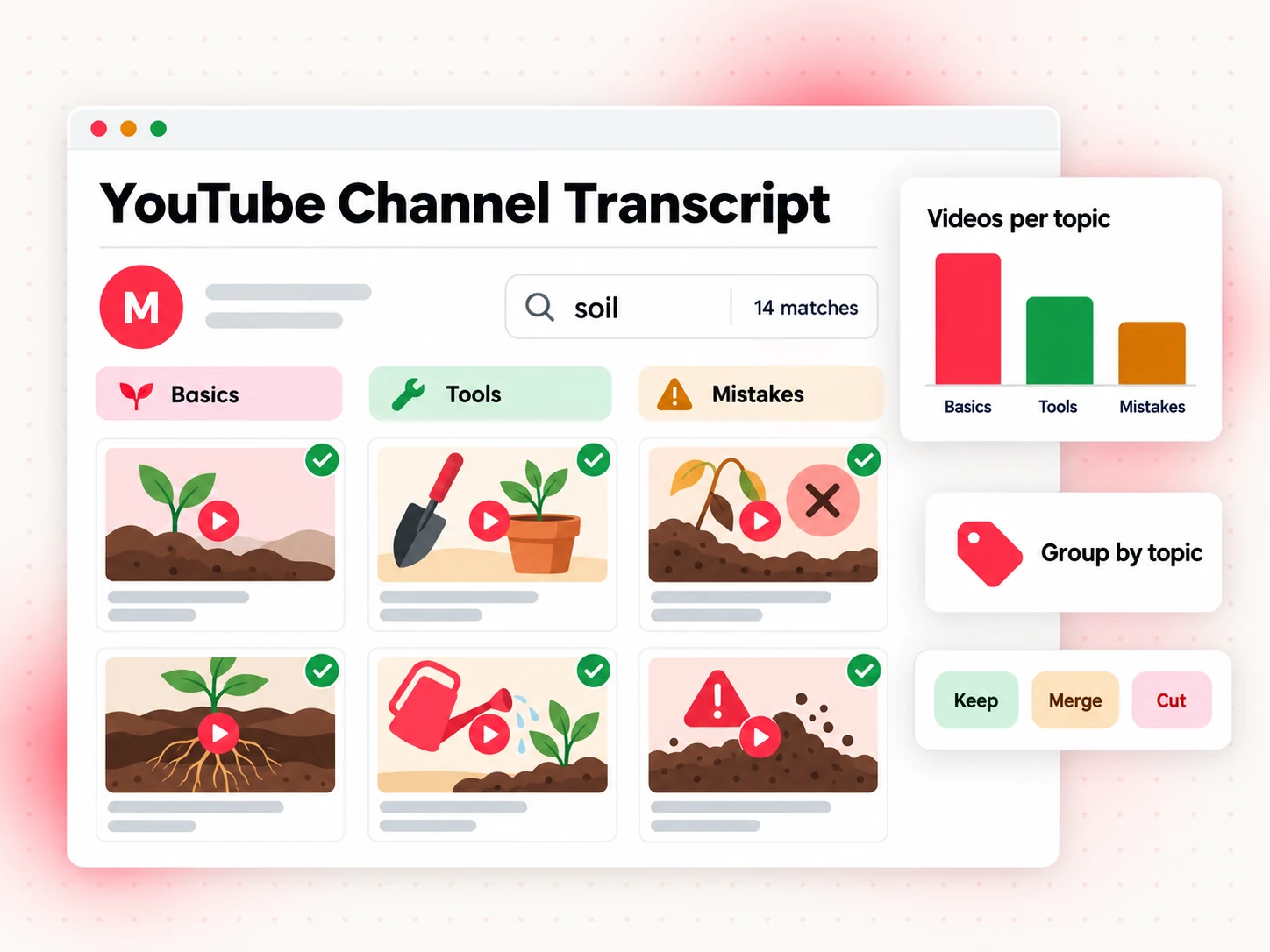
A YouTube channel transcript is most useful as a search tool before it is a source. Search the whole set for your book's core terms to find every upload where you covered a topic, including ones you forgot about. You will usually find three kinds of result: the main YouTube transcript on a topic, two or three shorter ones that add an example or a correction, and a few passing mentions. The main transcript becomes a chapter; the others feed it.
Whichever route you take, process only channels and playlists you own or have permission to use, as covered in the section above.
Step 3: Download and Clean the Transcripts
For book work, export plain text. A YouTube transcript download as TXT keeps the words without the timing codes that subtitle formats carry; SRT and VTT are built for video players and editors, not manuscripts. Keep the timestamps visible in your working copy if you can, because they let you jump back to the video when a line is unclear.
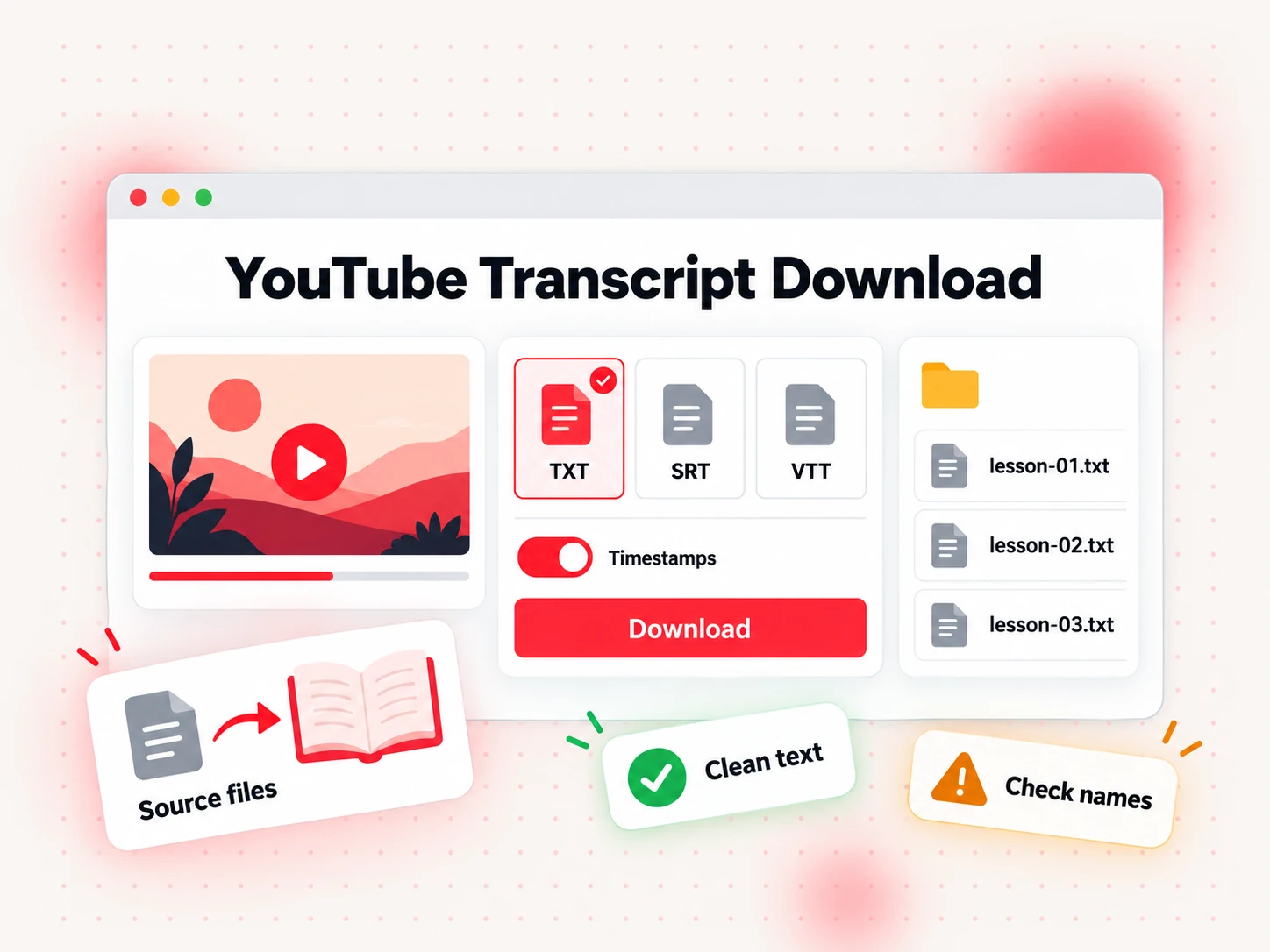
After the YouTube transcript download, do one cleaning pass per file before any rewriting. It is quicker to clean ten files once than to fix the same mistake in ten chapters.
Fix names and terms. Search each file for the people, products, places and technical words you use often. Automatic transcription gets common words right and specialist words wrong. Make a short style sheet ("NotebookLM, not Notebook LM"; "pH, not P H") and apply it everywhere.
Check every number. Prices, measurements, dates and steps with quantities are where a single misheard word changes the meaning. Compare each one against the video or your notes.
Strip the spoken filler. Remove greetings, sponsor reads, "smash that subscribe button", outros and end-screen references. Keep the content.
Mark visual moments. Wherever the speaker says "this", "here" or "look at this" while pointing at the screen, insert a note such as [VISUAL: chart of monthly growth]. You will deal with these in Step 5.
Remove other people's material. Delete long quotes from other creators, song lyrics and read-aloud passages from other books unless you have permission for them. A transcript records everything spoken, including things you have no right to publish.
At the end of this step you should have one clean TXT file per video, named and numbered, with a style sheet beside them.
Step 4: Group the Transcripts Into Chapters
Videos are organized by when you published them. Books are organized by what the reader needs next. This step converts one order into the other.
Open your spreadsheet from Step 1 and add a column called "chapter". Then work through the transcripts and assign each one. Most video libraries fall into one of four patterns:
| Video pattern | What it becomes | How to handle it |
|---|---|---|
| One video covers one topic in depth | One chapter | Use it as the chapter's spine |
| Several short videos on one topic | One chapter | Merge them, keep the best example from each |
| One long video covers several topics | Several chapters | Split at the topic changes, using timestamps |
| Q&A, live streams, comment replies | Sidebars and FAQs | Pull out the questions readers actually asked |
Three decisions matter most here.
Merge overlaps. If you explained the same idea in four videos over three years, do not include it four times. Pick the clearest explanation and the best example, and note where the others added something new.
Find the gaps. A series rarely covers a topic completely, because each episode assumed the viewer had seen others. List what a reader would need that no transcript covers: definitions, setup steps, a glossary, a "before you start" chapter. You will write these from scratch.
Cut the off-topic material. Tangents that were entertaining on camera often have no place in the book. If a section does not serve the promise in your one-sentence brief, leave it in the video.
When you finish, you have a chapter list with the transcripts assigned to each chapter, and a short list of chapters to write new. That list is your outline.
Step 5: Rewrite Spoken Transcripts as Written Chapters
This is where a YouTube video to ebook project succeeds or fails. Spoken language and written language follow different rules, and readers notice immediately when a chapter is a lightly edited transcript.
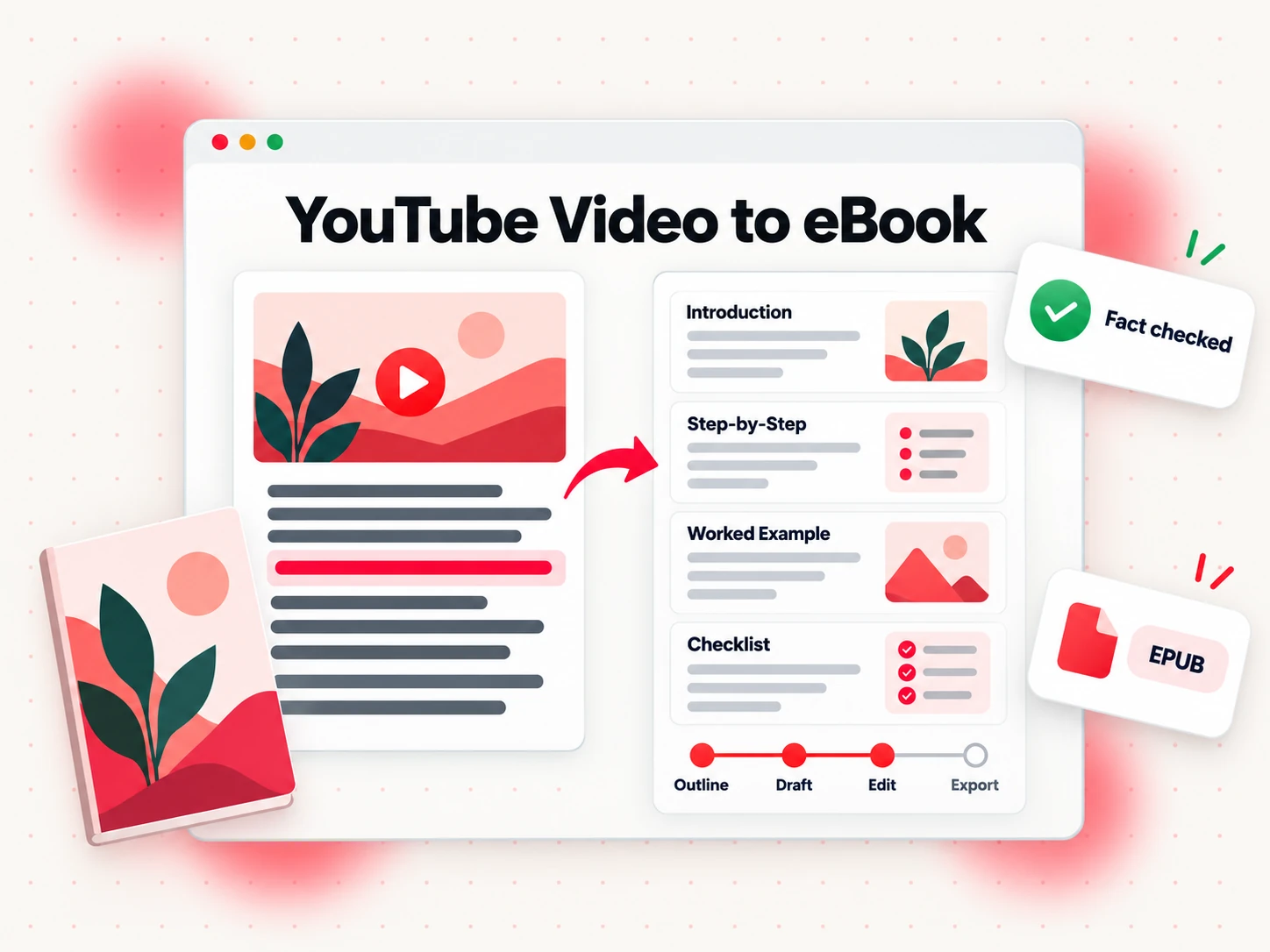
The most common changes in a YouTube video to ebook rewrite:
| On video | In the book |
|---|---|
| "So, um, what I want to show you today is..." | Open the chapter with the problem it solves |
| Repeats a key point three times for emphasis | State it once, clearly, and put it in a summary box |
| "As you can see on screen..." | Describe it in words, add a figure, or link to the video |
| Skips a step because it was visible in the demo | Write every step, numbered, in order |
| Mentions "the last video" or "next week" | Point to a chapter, or remove the reference |
| Rambles into a tangent, then returns | Cut the tangent or move it to a sidebar |
| Talks in long, joined-up sentences | Shorter sentences, one idea each |
For each chapter, aim to add what video cannot do well:
- A clear opening. Two or three sentences that tell the reader what the chapter covers and why it matters.
- Complete steps. Numbered procedures a reader can follow with the book open beside them.
- A worked example. One concrete case followed from start to finish, with the real numbers.
- A checklist or summary. The page readers come back to after they finish.
- References. Where a claim depends on a source, cite it in the text.
For the visual moments you marked in Step 3, a simple figure often works better than a paragraph of description. An AI image generator such as Potto can draft an illustration from a text prompt and reference images; check every label and detail against the original video before it goes in the book.
If the material is a course, a course companion ebook is a useful model: it uses the lesson names, holds the example still and gives the learner a task they can start without rewinding. It does not repeat the video word for word.
Keep your voice. The reason to start from your own YouTube transcript instead of a blank page is that the phrasing is yours. Edit for clarity and order, but keep the analogies and the way you explain things. Readers who found you on YouTube should recognize you on the page.
Step 6: Build the Book in Bookeen
Once the transcripts are clean and grouped, you can develop the manuscript in Bookeen, an AI online book creator that takes a book from a brief to finished files. The transcripts become source material rather than the text itself.
Some authors add one research pass before drafting: they load the same TXT files into NotebookLM, which accepts text and Markdown uploads and answers questions across them with a citation to each passage, to find every place a theme comes up. Our guide on what NotebookLM is used for covers how writers use it, and how to create an ebook with NotebookLM walks through that route from sources to chapters.
A practical way to work:
- Write the brief. Describe the book in a sentence or two: the reader, the result and the scope. Bookeen turns it into a book brief with the topic, reader and intended length, which you can edit before any chapter is written.
- Pick a book type. For transcripts from tutorials, How-To Guide or Course Companion usually fits; Lead Magnet suits a short book built from a few videos; Interactive Workbook suits material with exercises.
- Attach the transcripts. Bookeen accepts text attachments such as TXT, Markdown, PDF and HTML in a project session, so your cleaned TXT files from Step 3 can go in as they are. Attach the transcripts for the chapter you are working on, along with your outline and style sheet, rather than dropping the entire channel in at once.
- Develop chapter by chapter. Ask for one chapter at a time, built from the attached transcripts and your outline. Read it, change it and regenerate sections until it says what you mean. Bookeen drafts; you remain the author. Check every fact against your videos.
- Write the new chapters. The gap chapters you listed in Step 4 have no transcript behind them. Write them yourself or develop them from notes, and check them with extra care.
A note on AI disclosure: if you publish on Amazon KDP, KDP asks you to disclose AI-generated content when you publish. It defines content created by an AI-based tool as AI-generated even if you edited it substantially, while content you wrote yourself and only edited or refined with AI tools counts as AI-assisted and does not need to be disclosed (Amazon KDP: Content Guidelines). Keep a note of how each chapter was produced so you can answer accurately.
Step 7: Edit, Export and Test the eBook
A finished draft still needs three passes before it is a book.
Read it as a reader. Read the whole manuscript in order, ideally on the device your readers will use. Look for repeated explanations from merged videos, references to things the reader cannot see, and steps that depend on an earlier chapter the reader may have skipped.
Export the files. Bookeen exports Word (DOCX), PDF for reading, EPUB, PDF for print, a cover image, a print cover and Markdown. For a text-heavy guide made from video transcripts, EPUB is usually the main reading edition, because it reflows on phones and e-readers; add a PDF if the book has worksheets or checklists people will print.
Validate and test. Run the EPUB through EPUBCheck, the W3C's conformance checker, and fix any errors it reports. Then open the file on a phone, a tablet and, if you can, an e-reader. Check that the table of contents works, headings are consistent and any figures you added in place of on-screen visuals are readable at small sizes.
When the files pass, decide where the book goes. You can give it away as a lead magnet for your channel, sell it from your own site or upload it to stores. To announce it on the channel the book came from, a YouTube Shorts maker such as Potto can turn a prompt, a link or screenshots into a 9:16 video with narration and captions. Our guide on where to sell ebooks compares the channels, and the step-by-step on how to publish a book on Amazon covers KDP. Bookeen does not upload anything to a store for you; you publish the exported files yourself. For the wider plan after launch, from store listings to publishers and an email list, see how to sell books.
Which YouTube Channels Make the Best eBooks
Not every video library turns into a good book. The ones that do share a pattern: the videos teach something that still works when the reader cannot see you.
| Channel type | Book it becomes | Why it works | Watch out for |
|---|---|---|---|
| Course or lesson playlists | Course companion or how-to guide | The order already exists | Lessons that only work with the screen |
| Tutorial channel on one craft | How-to guide | Repeatable methods and steps | Dated tool walkthroughs |
| Talks and keynotes | Essay collection | Strong arguments, polished delivery | Repetition across talks |
| Interview series | Q&A book or themed collection | Many voices on one topic | Guest permission for every chapter |
| Vlogs and personal stories | Memoir | Real experiences in your voice | Thin structure, needs heavy rewriting |
| Product demos and reactions | Usually none | Mostly visual | Very little transcribable content |
If your channel is mostly demos, consider whether a short reference guide or a lead magnet is a better fit than a full book. If it is mostly lessons and talks, you probably have more material than one book needs. If your strongest material is short-form, the same method works with a few changes: see how to create an ebook from TikTok transcripts and how to create an ebook from Instagram transcripts.
A Worked Example: Twelve Gardening Videos to a Nine-Chapter Guide
This is an illustrative example, not a real channel, but it follows the steps above with realistic numbers.
A creator runs a channel about balcony vegetable gardening. Over three years they published about 80 videos. They want a short guide for beginners with a small balcony.
Step 1. The brief: "This book helps a beginner with a small balcony grow their first vegetables in one season without watching 20 hours of YouTube." From 80 uploads, 12 fit: the basics series, three on soil, two on watering, one on pests, a seasonal planting calendar and three "beginner mistakes" episodes.
Step 2. The basics series is already a playlist of six lessons, so they collect a YouTube playlist transcript for it in one run. The other six are spread across the channel, so they collect a YouTube channel transcript and search the set for "soil", "watering" and "pests" to confirm they have not missed a better YouTube transcript on each topic. They find one: an older live stream with a long answer about drainage.
Step 3. They download each YouTube transcript as TXT. The cleaning pass fixes plant variety names the transcription got wrong, checks every measurement, removes sponsor segments and marks 23 visual moments.
Step 4. Twelve transcripts become nine chapters. The three soil transcripts and the live stream answer merge into one chapter. The three mistakes episodes become a closing chapter. Two gap chapters are written new: "Measuring your balcony's light" and "What to buy before you start".
Step 5. Each chapter gets a short opening, numbered steps, one worked example (a single tomato plant followed through a season) and a checklist. The 23 visual moments become 6 simple diagrams and 17 written descriptions.
Step 6. In Bookeen, they pick the How-To Guide type, attach the cleaned transcripts one chapter at a time with the outline, develop and revise each chapter, and write the two gap chapters from notes.
Step 7. After a full read on a phone, they export EPUB and PDF, run EPUBCheck, fix two broken heading levels and test on a tablet. The guide goes out first as a bonus for email subscribers, then to an ebook store.
The book is not a copy of the channel. It covers less than the 80 videos do, in a better order, with more complete steps. That is the trade a good YouTube video to ebook project makes.
Common Mistakes When Turning Videos Into an eBook
Publishing the transcript. A transcript with headings added reads like a transcript. Readers can tell, and store reviewers can too. Rewrite every chapter.
Using videos you do not own. Credit and good intentions are not permission. Stick to your own material, licensed material, or material you have permission for in writing.
Skipping the cleaning pass. Misheard names and numbers multiply once you start rewriting. Fix them in the source files first.
Keeping the video order. Upload order is rarely teaching order. Reorganize by what the reader needs next.
Forgetting the visuals. Every "as you can see" is a hole in the book. Describe it, draw it or cut it.
Including everything. A channel archive has far more material than one book needs. A focused 25,000-word guide beats a 90,000-word dump of every video.
Trusting a draft without checking it. Whether you rewrite by hand or with AI help, check every fact, step and number against your own videos before you publish.
YouTube Transcript to eBook FAQs
What is a YouTube transcript?
A YouTube transcript is the full written text of what is spoken in a YouTube video, usually split into lines with timestamps. It comes from the creator's caption track when one exists, or from transcription of the audio when the video has no captions. For a book, it is raw material you rewrite into chapters.
How do I get a YouTube transcript for every video in a course?
Use a YouTube playlist transcript. Put the course videos in one playlist, paste the playlist link into the YouTube playlist transcript tool on transcript.im, and the lessons are queued in playlist order and downloaded as a set, each labelled by video.
Can I get transcripts for my whole channel at once?
Yes. A YouTube channel transcript collects the transcripts of a channel's public uploads in one run. On transcript.im, paste the channel link into the YouTube channel transcript tool, then search the set to find every video that covers your book's topics.
Can I turn someone else's YouTube videos into an ebook?
Not without permission. Giving credit does not give you the right to use someone else's content, and most uploads use the standard YouTube license. Use your own YouTube channel, content the owner has given you written permission to use, or uploads marked Creative Commons Attribution with proper credit.
Which file format should I download for writing a book?
Download the YouTube transcript as TXT. Plain text drops into a manuscript or a book tool without subtitle timing codes. SRT and VTT are subtitle formats built for video players and editors.
How many videos do I need for an ebook?
It depends on the book. A short lead magnet can come from three to five focused videos; a full how-to guide usually needs a dozen or more in-depth videos plus a few chapters written new. Count the words in your transcripts and remember that cleaning and editing will cut a large share of them.
Is a YouTube transcript accurate enough to publish?
No, not without checking. Caption tracks and automatic transcription both make mistakes, especially with names, numbers and technical terms. Clean and check every transcript before you use it, and treat the text as a draft.
Can I use AI to turn YouTube transcripts into a book?
Yes. An AI book tool such as Bookeen can develop chapters from your attached transcripts, but you still read every page, check every fact and edit for your own voice. If you publish on Amazon KDP, disclose AI-generated content as KDP requires.
Can I sell an ebook made from my YouTube videos?
Yes, if you own the videos and everything in them. Rewrite the material into a real book first, then publish it on a store or sell it directly. KDP will not accept copyrighted web content unless the copyright owner provides it, so only publish material you own.
Turn Your Videos Into a Book With Bookeen
Your YouTube transcripts already hold the explanations your audience came for. Collect them with transcript.im, clean and group them, and develop the chapters in Bookeen until the book stands on its own without the video.